


Thrive Continuous Improvement
Audits
Paper Audits = Lost Time, Missed Opportunities
You’re trying to build a culture of continuous improvement. But the process is killing momentum:
Printed 5S or 6S checklists that get lost or damaged
Photos saved on phones (but not linked to the audit)
Scores entered into Excel… eventually
Reports built manually—days after the fact
No clear follow-up on problems found
Thrive replaces the clipboard with a clean, mobile-first audit process you can actually use.
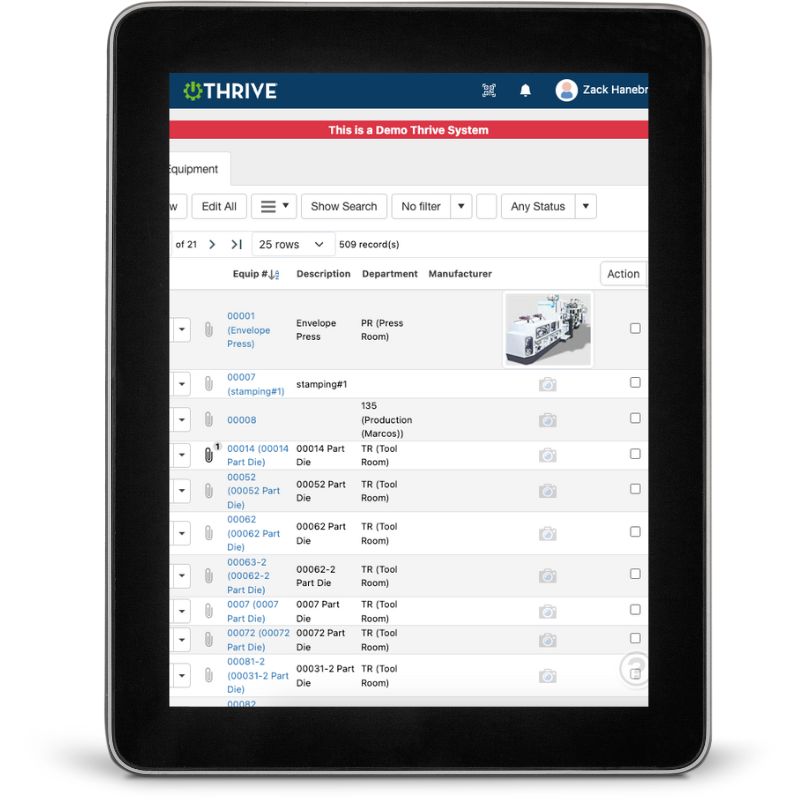
Thrive Audits
Conduct Audits From the Floor – Mobile-friendly interface lets you complete audits right at the point of use
Attach Photos Instantly – Show what’s right, what’s wrong, and what changed
Assign Follow-Ups – Turn audit findings into corrective actions on the spot
Real-Time Reporting – See results by area, auditor, or audit type—instantly
Build Any Audit Type – 5S, 6S, safety, quality, TPM, leadership rounds—you name it
Track Scores Over Time – Spot trends and drive accountability
No More Excel Reports – Auto-generate visuals for team reviews or leadership
Get Demo of Thrive
What’s Included in Thrive Audits
Custom Audit Builder
Build checklists for any CI, safety, or quality focus
Mobile Data Entry
Use a phone or tablet to audit in real time
Photo Uploads
Attach photos to questions or categories
Auto Scoring
Instantly calculates audit scores
Corrective Action Assignment
Turn findings into follow-up tasks immediately
Real-Time Dashboards
View scores, trends, and open items across areas
Filter + Export
Show leadership clean, exportable reports
Stop Hiding Audit Value in a Filing Cabinet

Thrive turns every audit into a tool for improvement—not just a check-the-box activity.
No lost papers
No delayed results
No wasted effort
Thrive vs Manual or Excel-Based Audits
| Feature | Thrive | Paper / Spreadsheet Audits |
|---|---|---|
| Audit process | ✅ Mobile, real-time input | ❌ Printed, then typed later |
| Photo documentation | ✅ Attached instantly | ❌ Stored separately or lost |
| Corrective actions | ✅ Assigned during audit | ❌ Managed separately |
| Reports | ✅ Auto-generated | ❌ Manually built in Excel |
| Trend tracking | ✅ Instant visibility | ❌ Inconsistent or delayed |
| Team visibility | ✅ Shared dashboards | ❌ Rarely seen by operators |
Frequently Asked Questions
Can I build my own audit templates?
Yes—you can customize questions, sections, and scoring for any process.
Can I attach photos during an audit?
Absolutely. Photos can be added directly from your mobile device.
What about follow-up actions?
Each audit can generate corrective actions, assigned to the right team.
Will this work for 5S and safety audits?
Yes—any audit type can be created and managed in Thrive.
Companies big and small we partner with





Get Demo of Thrive
"Our IT loved working with Thrive!"
"- Beth Wilkerson, Compliance Manager, Specialty Manufacturing

"We have the real-time data for effective daily problem-solving"
- Pete Barboni, Intek Plastics
From Manual Chaos to Connected Excellence — How ASSA ABLOY Scaled Lean Manufacturing with Thrive
"We went from sticky notes and walking back and forth… to seeing everything on one screen." — Sergio, Engineering & CI Lead
Norton Modernization
"Easy integration with our systems" - Antonio Ancrum



LEAN TECHNOLOGIES
427 Main Street
Pella, IA 50219
866-LEAN-TEC (866 532-6832)
For Technical Support: [email protected]
ABOUT US | CONTACT US | VIDEOS | THRIVE RESOURCES | FAQ | CAREERS | BLOG | PRIVACY POLICY | TERMS OF USE
© Copyright 2026. Thrive by Lean Technologies. All rights reserved.

