


Thrive HR
Employee Documentation
Still Managing HR Files with Paper, Folders, and Emails?
Most HR teams are juggling documents across:
Manila folders in a locked cabinet
Emails buried in a supervisor’s inbox
Scattered spreadsheets and paper notes
Zero backup if someone leaves or misfiles something
That means missing documentation when it matters most—during reviews, audits, or legal disputes. Thrive keeps employee records organized, secure, and digital—so nothing slips through the cracks.
What You Can Do with Thrive Employee Documentation
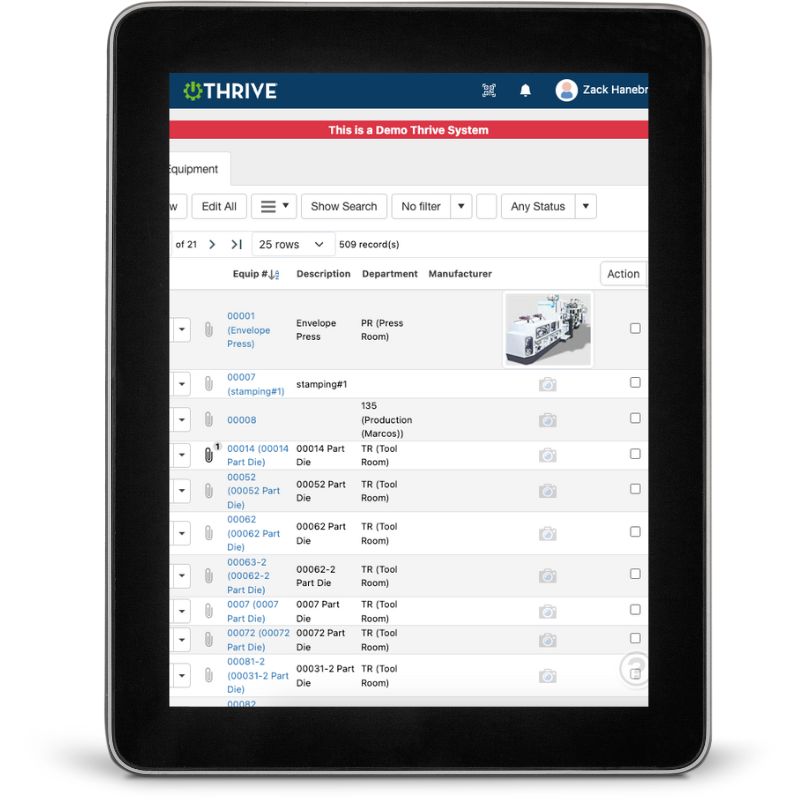
Log Notes and Conversations - Electronically
Performance discussions, disciplinary actions, promotions—track them all
Upload Documents - Offer letters, training sign-offs, certifications, etc.
Control Access by Role - HR and managers can see what they need—nothing more
View History by Employee - See a full timeline of what’s been recorded
Attach Files to Incidents, Reviews, or Training - Keep records where they actually belong
Store Everything in One Spot - No more folders, drives, or emails to search
Get Demo of Thrive
Key Features at a Glance
Electronic Documentation
Record coaching, reviews, and conversations instantly
File Attachments
Add proof, forms, or signatures
Employee Profiles
See history and notes in one place
Access Control
Ensure only approved staff see sensitive info
Cloud-Based Storage
Access from anywhere—no files to lose
Audit Trail
Timestamped logs of who did what, when
No More Paper Trails That Disappear

HR documentation is your safety net. But only if you can find it, prove it, and share it when needed. Thrive makes it easy.
Thrive vs MaThrive vs Paper Files and Email Chains
| Feature | Thrive | Folders / Emails / Paper |
|---|---|---|
| Documentation | ✅ Notes + uploads in one spot | ❌ Scattered or missing |
| Access control | ✅ Role-based permissions | ❌ Anyone with the folder |
| History tracking | ✅ Timestamped by user | ❌ Unknown or handwritten |
| Retrieval | ✅ Searchable by employee | ❌ Depends who has it |
| Backup | ✅ Cloud-based + secure | ❌ At risk if someone leaves |
| Audit readiness | ✅ Instant access | ❌ Hours of digging |
Frequently Asked Questions
Can multiple users add notes to the same employee?
Yes, with access control. Each note is timestamped and tagged.
Is this part of the core Thrive platform?
Yes, available in the HR module—fully integrated with other features.
Can I attach PDFs or scanned documents?
Absolutely. Any common file format is supported.
Is this visible to the employee?
No—only users with access can view internal documentation.
Companies big and small we partner with
Get Demo of Thrive
"Our IT loved working with Thrive!"
"- Beth Wilkerson, Compliance Manager, Specialty Manufacturing

"We have the real-time data for effective daily problem-solving"
- Pete Barboni, Intek Plastics
From Manual Chaos to Connected Excellence — How ASSA ABLOY Scaled Lean Manufacturing with Thrive
"We went from sticky notes and walking back and forth… to seeing everything on one screen." — Sergio, Engineering & CI Lead
Norton Modernization
"Easy integration with our systems" - Antonio Ancrum



LEAN TECHNOLOGIES
427 Main Street
Pella, IA 50219
866-LEAN-TEC (866 532-6832)
For Technical Support: [email protected]
ABOUT US | CONTACT US | VIDEOS | THRIVE RESOURCES | FAQ | CAREERS | BLOG | PRIVACY POLICY | TERMS OF USE
© Copyright 2026. Thrive by Lean Technologies. All rights reserved.

