


Thrive Project Management
Escalations, Chats, Notifications & Audit Tracking

If No One Sees It, Nothing Happens
The reality on the floor:
Team members don’t know when they’re assigned a task
Critical updates get buried in inboxes
Escalations come after something breaks or gets missed
No easy way to track who was notified or when
You’re stuck chasing status or doing all the follow-up yourself
Thrive fixes the communication gap so work actually gets done.
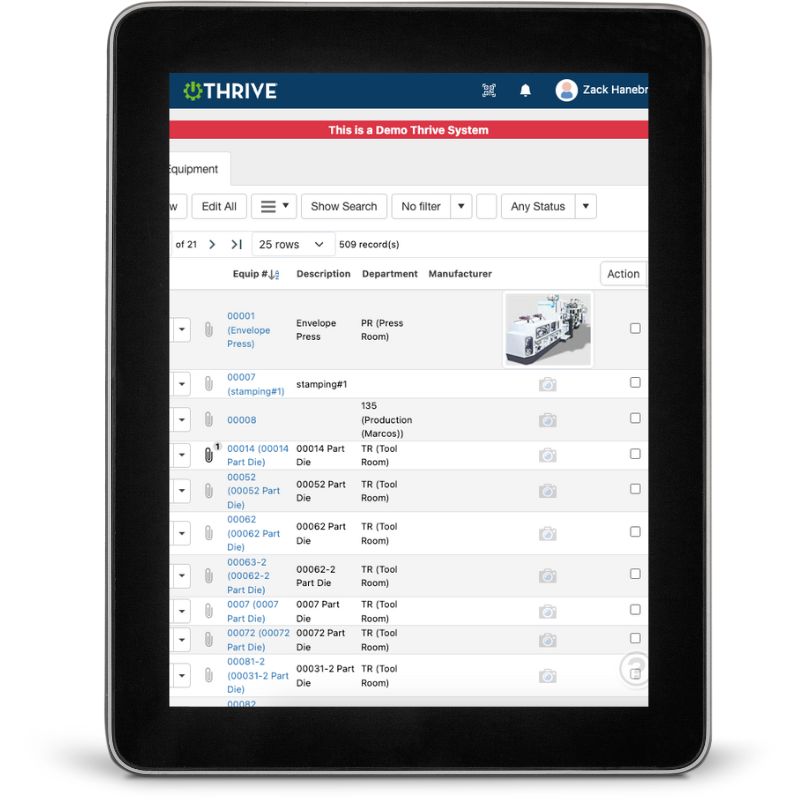
What You Can Do with Thrive Notifications & Escalations
Set Smart Notifications That Actually Get Read - Notify team members in real time—without spamming them with noise
Escalate What Matters - Set auto-escalations when tasks go overdue, defects repeat, or audits fail
Use Built-In Chats for Quick Collaboration - Communicate inside tasks, audits, events, or projects—no extra tools needed
Track the Audit Trail - See exactly who was notified, when they saw it, and what changed
Focus Attention Where It’s Needed - Filter by your area, projects you own, or overdue items
Keep People Engaged - Clear communication = clear expectations = more accountability
Get Demo of Thrive
Key Features at a Glance
Real-time notifications
Alerts triggered based on status or due dates
Escalation workflows
Auto-escalate when actions are overdue
Chat + comments
Communicate inside the task or project itself
Audit history
See who did what, when
Filterable alerts
Focus by role, site, or responsibility
Mobile + desktop
Stay connected on the floor or off-site
You Can’t Fix What You Don’t Know

The best process in the world falls flat if people aren’t informed.
Thrive keeps communication clear, tracked, and built into the system.
Thrive vs Inbox Chaos and Manual Escalations
| Feature | Thrive | Emails / Manual Follow-Up |
|---|---|---|
| Notifications | ✅ Real-time, role-specific | ❌ Buried or missed |
| Escalations | ✅ Automated by rules or delays | ❌ You chase people manually |
| In-context chats | ✅ Inside projects/tasks | ❌ Texts, emails, sticky notes |
| Audit tracking | ✅ Timestamped and recorded | ❌ No proof or paper trails |
| Engagement | ✅ Keeps teams aligned | ❌ Teams stay disconnected |
Frequently Asked Questions
Can we control who gets notified and when?
Yes. You can set alerts based on role, site, project, or type of task.
Can escalations go to managers or leaders automatically?
Absolutely. You can define who is next in line when something is missed.
Is this built into Thrive modules like CI or Safety?
Yes. Audits, work orders, events—all of it can trigger notifications and chats.
Can we view a log of what was communicated?
Yes. You get a full audit trail of every alert, escalation, and action.
Companies big and small we partner with





Get Demo of Thrive
"Our IT loved working with Thrive!"
"- Beth Wilkerson, Compliance Manager, Specialty Manufacturing

"We have the real-time data for effective daily problem-solving"
- Pete Barboni, Intek Plastics
From Manual Chaos to Connected Excellence — How ASSA ABLOY Scaled Lean Manufacturing with Thrive
"We went from sticky notes and walking back and forth… to seeing everything on one screen." — Sergio, Engineering & CI Lead
Norton Modernization
"Easy integration with our systems" - Antonio Ancrum



LEAN TECHNOLOGIES
427 Main Street
Pella, IA 50219
866-LEAN-TEC (866 532-6832)
For Technical Support: [email protected]
ABOUT US | CONTACT US | VIDEOS | THRIVE RESOURCES | FAQ | CAREERS | BLOG | PRIVACY POLICY | TERMS OF USE
© Copyright 2026. Thrive by Lean Technologies. All rights reserved.

