


THRIVE MAINTENANCE
Asset Management
Stop Guessing What You’ve Got
You can’t maintain what you can’t find. And most teams are stuck asking:
What parts have we used?
What do we actually have in stock?
Where the heck is that bearing?
When parts are tracked on paper or spreadsheets, things slip fast.
Thrive makes parts tracking automatic—so you’re never caught off guard.
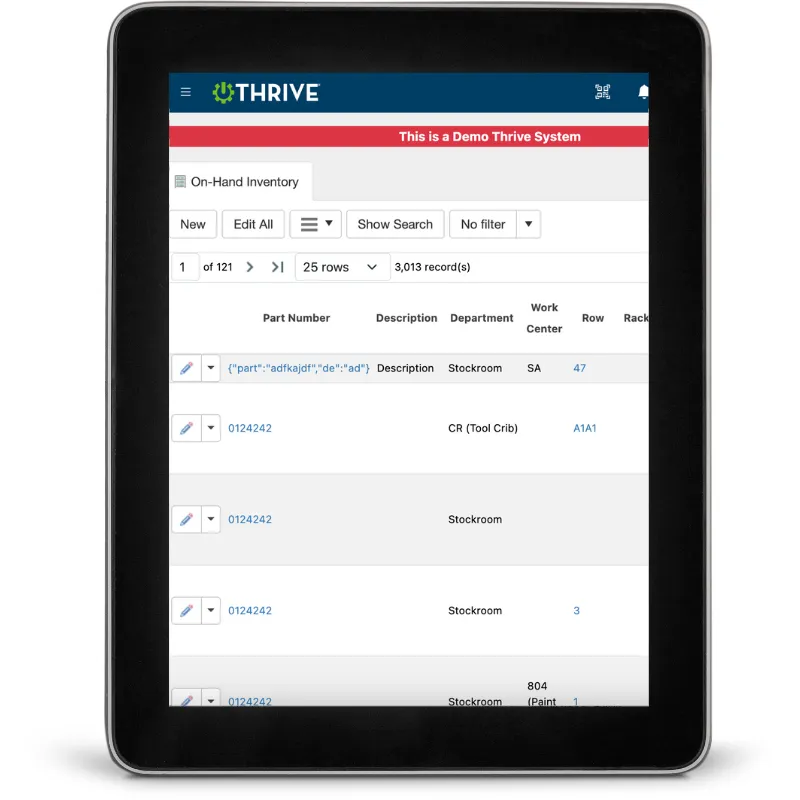
Thrive Parts Management
Auto-Log Part Usage – Parts are tied to jobs as you complete work
Real-Time Inventory – Always know what’s on hand (and what’s not)
Spare Parts Lists – Build out what's needed per asset, automatically
Mobile Lookup – Search and assign parts right from the floor
Low Stock Alerts – Set thresholds so you reorder before it's too late
Track Cost by Asset – Tie part spend to the machine it went into
Stop the chaos. Start controlling your parts room.
Get Demo of Thrive
What’s Included in Parts Management
Auto-Track Usage
Log part usage automatically as jobs are completed
Inventory Counts
See what’s in stock—by location or category
Spare Parts Lists
Build lists per asset without manual entry
Low Stock Alerts
Get notified when you're running low
Mobile Access
Find and use parts while you're at the equipment
Cost Tracking
Link every part to a job, asset, and dollar amount
Built for Busy Teams

If techs have to dig through bins or binders, they won’t log parts. Thrive makes it easy to:
Use and track parts right from the job
Build your inventory list naturally—no big uploads
Spot shortages before they shut you down
Know what each asset is costing you over time
Your parts room, finally under control.
Thrive vs Manual Parts Tracking
| Feature | Thrive | Manual / Spreadsheet Tracking |
|---|---|---|
| Usage tracking | ✅ Auto-logged with work orders | ❌ Manually entered or skipped |
| Inventory visibility | ✅ Real-time counts | ❌ Outdated or unknown |
| Asset association | ✅ Tied to specific machines | ❌ No link or unclear |
| Mobile access | ✅ Lookup and manage from floor | ❌ Usually desktop-only |
| Reordering insight | ✅ Low stock alerts | ❌ “Oops, we’re out again” |
Frequently Asked Questions
How are parts linked to work orders?
As you complete a job, Thrive auto-logs the parts used. No extra steps.
Can I manage parts from a mobile device?
Yes—search, assign, and use parts from your phone or tablet.
How do I know when to reorder parts?
You’ll get low-stock alerts as soon as thresholds are hit.
Can I see part costs by asset or job?
Absolutely. Every part is tied to its job, asset, and cost—automatically.
Companies big and small we partner with





Get Demo of Thrive
"Our IT loved working with Thrive!"
"- Beth Wilkerson, Compliance Manager, Specialty Manufacturing

"We have the real-time data for effective daily problem-solving"
- Pete Barboni, Intek Plastics
From Manual Chaos to Connected Excellence — How ASSA ABLOY Scaled Lean Manufacturing with Thrive
"We went from sticky notes and walking back and forth… to seeing everything on one screen." — Sergio, Engineering & CI Lead
Norton Modernization
"Easy integration with our systems" - Antonio Ancrum




LEAN TECHNOLOGIES
427 Main Street
Pella, IA 50219
866-LEAN-TEC (866 532-6832)
For Technical Support: [email protected]
ABOUT US | CONTACT US | VIDEOS | THRIVE RESOURCES | FAQ | CAREERS | BLOG | PRIVACY POLICY | TERMS OF USE
© Copyright 2026. Thrive by Lean Technologies. All rights reserved.

