


Thrive Project Management
Project Tracking
Projects Cross Departments—Your Tools Should Too
If you're still managing projects in silos, you’re feeling it:
No visibility across teams
Hard to tell where the hours or dollars are going
No central place for documents, updates, or accountability
Manually cobbling together Excel sheets to see the full picture
Can’t answer, “What did we spend on that build?” without a fire drill
Thrive brings everything together—in real time.
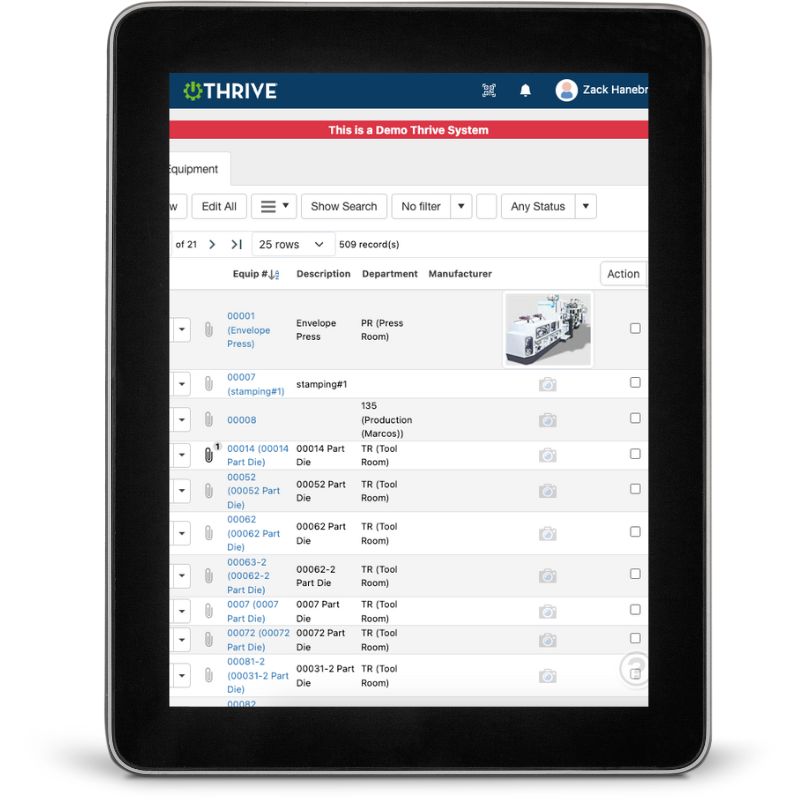
What You Can Do with Thrive Project Tracking
Roll Up Projects by Area, Type, or Plant - See total labor, cost, and effort across job shop builds, improvements, installs, and more
Track Hours and Assignments - Know who’s doing what, where things stand, and what’s overdue
Compare Actuals to Targets - Monitor budgets, timelines, and workload against your goals
Add Documents, Notes, and Photos - Keep everything attached to the project—not buried in inboxes
Get Departmental Visibility - Everyone sees how their effort contributes to the bigger picture
Make Better Decisions, Faster - One place to review scope, status, and results
Get Demo of Thrive
Key Features at a Glance
Project roll-up views
Aggregate data across projects, plants, or teams
Labor + cost tracking
See where time and dollars are spent
Task assignments
Know who owns what and what’s behind
Live project dashboards
View progress, budget, risks, and more
Attachment storage
Upload documents, photos, and notes in one place
Cross-functional visibility
Eliminate silos and drive aligned execution
Visibility = Confidence

Want to know if your team is overworked?
Need to answer how much effort went into that last major build?
Trying to validate project ROI before budgeting the next one?
Thrive shows you all of it—without digging.
Thrive vs Manual Project Tracking
| Feature | Thrive | Spreadsheets / Paper |
|---|---|---|
| Cross-functional rollup | ✅ Total view across teams | ❌ Everyone has their own version |
| Labor + cost tracking | ✅ Rolled up and real-time | ❌ Manual entry (if at all) |
| Task visibility | ✅ See who’s assigned and what’s due | ❌ Status updates = chasing people |
| Documentation | ✅ All in one place | ❌ Scattered in emails or binders |
| Progress tracking | ✅ Dashboards + alerts | ❌ Surprise delays and confusion |
Frequently Asked Questions
Can we track job shop build projects by part or machine?
Yes. Thrive supports build tracking, and you can group projects by part number, machine, or customer.
Can we track labor costs across departments?
Absolutely. Costs roll up by project, department, or even site.
Is this just for CI or CapEx projects?
No—it works across install, improvement, maintenance, and build efforts.
Does this integrate with Work Orders or Safety tasks?
Yes. Everything connects in Thrive—nothing falls through the cracks.
Companies big and small we partner with





Get Demo of Thrive
"Our IT loved working with Thrive!"
"- Beth Wilkerson, Compliance Manager, Specialty Manufacturing

"We have the real-time data for effective daily problem-solving"
- Pete Barboni, Intek Plastics
From Manual Chaos to Connected Excellence — How ASSA ABLOY Scaled Lean Manufacturing with Thrive
"We went from sticky notes and walking back and forth… to seeing everything on one screen." — Sergio, Engineering & CI Lead
Norton Modernization
"Easy integration with our systems" - Antonio Ancrum




LEAN TECHNOLOGIES
427 Main Street
Pella, IA 50219
866-LEAN-TEC (866 532-6832)
For Technical Support: [email protected]
ABOUT US | CONTACT US | VIDEOS | THRIVE RESOURCES | FAQ | CAREERS | BLOG | PRIVACY POLICY | TERMS OF USE
© Copyright 2026. Thrive by Lean Technologies. All rights reserved.

