


THRIVE MAINTENANCE
Projects
Safety Goals Without Follow-Through Are Just Ideas
You’ve got good intentions—zero injuries, better audits, updated training. But let’s be real:
Most safety initiatives get lost in the shuffle
There’s no single spot to track who’s doing what
Communication breakdowns stall progress
Reporting is manual (if it happens at all)
Thrive Projects helps you actually move safety initiatives forward—with visibility, ownership, and accountability.
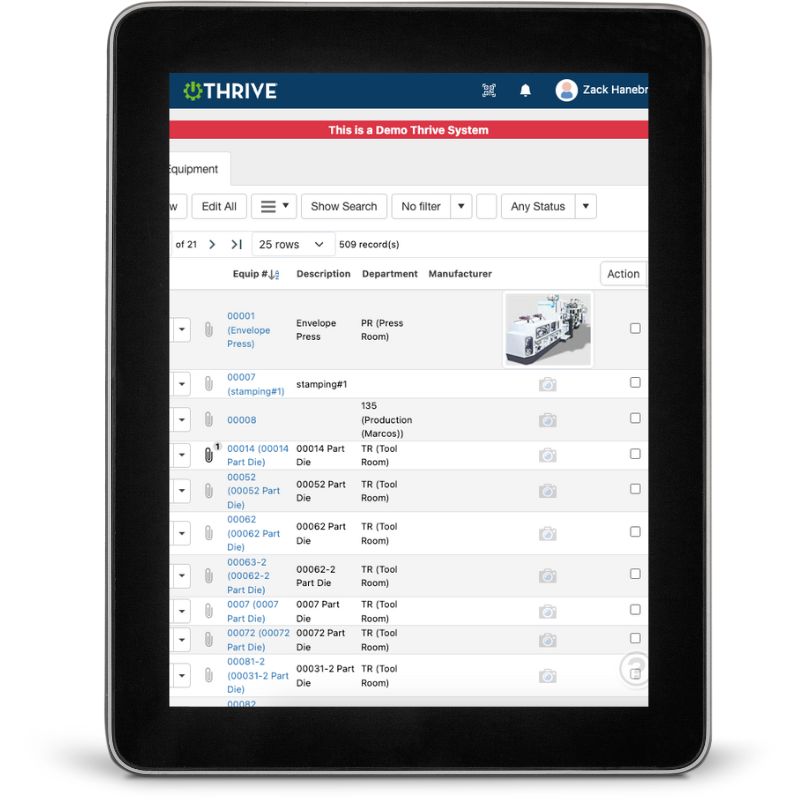
Thrive Safety Projects
Organize by Category – Sort initiatives by type (PPE, training, signage, compliance, etc.)
Assign Team Members – Know exactly who owns what
Add Deadlines and Milestones – Build momentum and track actual progress
Comment + Collaborate – Keep conversations in one place—not buried in emails
Live Dashboards – Instantly see what’s on track and what’s behind
Mobile-Friendly – Update and manage from anywhere
No more “we’ll get to it.” No more mystery about status. Just clear plans—and even clearer execution.
Get Demo of Thrive
What’s Included in Projects
Project Categories
Organize safety initiatives by type or focus
Team Assignments
Assign owners and collaborators
Milestones + Due Dates
Break large projects into actionable steps
Status Updates
Track percent complete, open issues, and risks
Internal Communication
Comment threads keep updates out of email
Dashboards
Get live views of all open and completed projects
Keep Your Safety Program Moving Forward

This isn’t just about compliance—it’s about momentum. Use Thrive Projects to:
Align your team
Eliminate bottlenecks
Actually complete the programs you start
Thrive vs Safety Projects Managed in Spreadsheets
| Feature | Thrive | Spreadsheet-Based Tracking |
|---|---|---|
| Project organization | ✅ Categorized + visible | ❌ Hidden in tabs or files |
| Task ownership | ✅ Assigned by name | ❌ Vague or missing |
| Progress tracking | ✅ Real-time status + % complete | ❌ Manual updates |
| Team collaboration | ✅ Comment + tag teammates | ❌ Back-and-forth emails |
| Dashboards | ✅ Visual + mobile-ready | ❌ Build it yourself (if ever) |
Frequently Asked Questions
Can I create recurring or annual projects?
Yes. You can template projects and track year-over-year improvements.
What if I have multiple people working on one initiative?
You can assign multiple contributors, add comments, and tag team members.
Can I sort or filter projects by status or department?
Absolutely. Thrive lets you slice by any field or tag.
Will this integrate with corrective actions or audits?
Yes—projects can reference or support findings from other Thrive Safety modules.
Companies big and small we partner with





Get Demo of Thrive
"Our IT loved working with Thrive!"
"- Beth Wilkerson, Compliance Manager, Specialty Manufacturing

"We have the real-time data for effective daily problem-solving"
- Pete Barboni, Intek Plastics
From Manual Chaos to Connected Excellence — How ASSA ABLOY Scaled Lean Manufacturing with Thrive
"We went from sticky notes and walking back and forth… to seeing everything on one screen." — Sergio, Engineering & CI Lead
Norton Modernization
"Easy integration with our systems" - Antonio Ancrum



LEAN TECHNOLOGIES
427 Main Street
Pella, IA 50219
866-LEAN-TEC (866 532-6832)
For Technical Support: [email protected]
ABOUT US | CONTACT US | VIDEOS | THRIVE RESOURCES | FAQ | CAREERS | BLOG | PRIVACY POLICY | TERMS OF USE
© Copyright 2026. Thrive by Lean Technologies. All rights reserved.

