


Thrive HR
Training Program Tracking

Falling Behind on Training? It’s Hurting Your Operation
You already know what happens when training slips:
People run machines without being certified
Revisions go live without retraining
Excel trackers get out of date
Training records are buried in emails or binders
You fail audits—or worse, cause preventable failures
Thrive helps you take control of training so no one falls through the cracks.
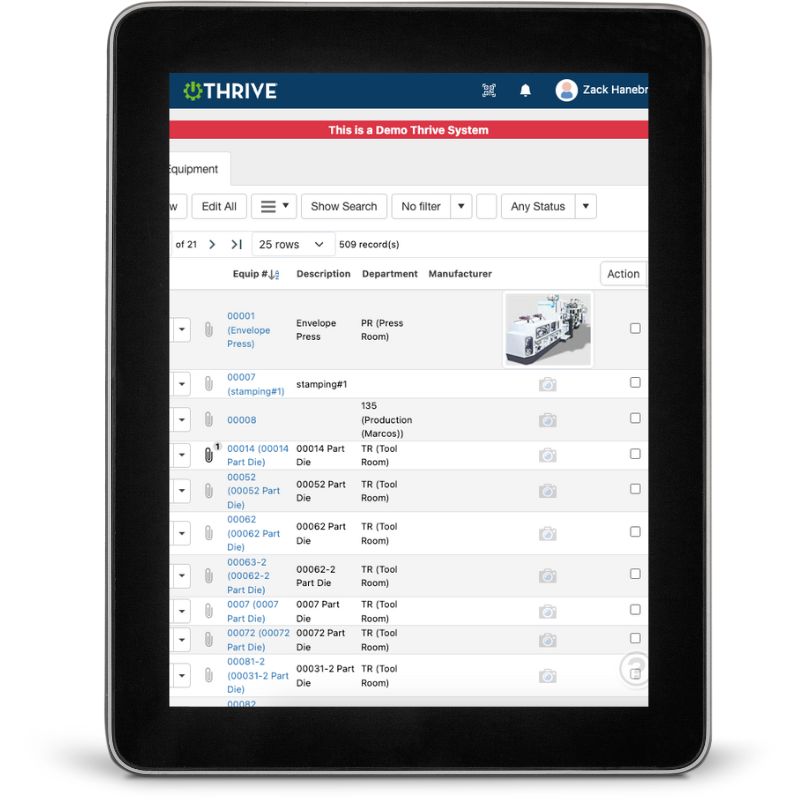
What You Can Do with Thrive Training Tracking
Assign Training by Role, Line, or Department
- Set training expectations automatically for new and existing employees
Track Completion - See who’s certified, who’s due, and who’s overdue
Upload Training Materials - SOPs, videos, PDFs, quizzes—all in one place
Track Revision Dates - Know when retraining is needed based on doc changes
Audit-Ready Records - Instantly pull proof of training, certifications, or results
Mobile-Friendly - Complete training and quizzes from a tablet or phone
Get Demo of Thrive
Key Features at a Glance
Training Matrix
View training by employee, job, or work area
Automatic Assignments
New hires or transfers are assigned based on role
Revision Alerts
Trigger retraining when SOPs or docs change
Proof of Completion
Timestamped and attached to the person’s record
Built-in Quizzes
Validate understanding—not just signatures
Audit Logs
Pull reports in seconds during inspections or reviews
Training Gaps Don’t Just Cost You Time—They Cost You Trust

If someone’s running a job without being trained, you’re at risk.
Thrive helps you stay ahead of it—with real-time visibility, automatic tracking, and audit-ready records.
Thrive vs Excel Files and Manual Training Logs
| Feature | Thrive | Spreadsheets / Paper |
|---|---|---|
| Training matrix | ✅ Auto-generated by role | ❌ Manually updated (if at all) |
| Revision tracking | ✅ Alerts and retraining required | ❌ Often missed |
| Proof of completion | ✅ Timestamped and stored | ❌ Sign-in sheets (maybe) |
| Quiz support | ✅ Built-in validation | ❌ Not possible |
| Visibility | ✅ Clear dashboard views | ❌ You’ll need a phone call |
| Audit readiness | ✅ One-click records | ❌ Hope you can find the binder |
Frequently Asked Questions
Can Thrive handle training for multiple job roles?
Yes. Assign training by job title, area, shift, or custom groups.
Can we require retraining when documents are updated?
Absolutely. Thrive automatically flags retraining when a revision is published.
Can users complete training from their phone?
Yes—training can be reviewed and quizzes taken from any device.
Is this included in the HR module?
Yes. Training tracking is built into Thrive HR.
Companies big and small we partner with





Get Demo of Thrive
"Our IT loved working with Thrive!"
"- Beth Wilkerson, Compliance Manager, Specialty Manufacturing

"We have the real-time data for effective daily problem-solving"
- Pete Barboni, Intek Plastics
From Manual Chaos to Connected Excellence — How ASSA ABLOY Scaled Lean Manufacturing with Thrive
"We went from sticky notes and walking back and forth… to seeing everything on one screen." — Sergio, Engineering & CI Lead
Norton Modernization
"Easy integration with our systems" - Antonio Ancrum




LEAN TECHNOLOGIES
427 Main Street
Pella, IA 50219
866-LEAN-TEC (866 532-6832)
For Technical Support: [email protected]
ABOUT US | CONTACT US | VIDEOS | THRIVE RESOURCES | FAQ | CAREERS | BLOG | PRIVACY POLICY | TERMS OF SERVICE.
© Copyright 2026. Thrive by Lean Technologies. All rights reserved.

