


THRIVE MAINTENANCE
Work Request Queue + Priority Settings
Triage the Chaos
Without a clear system for handling incoming work requests, everything becomes a fire drill. You end up with:
Random sticky notes or drive-by requests
Teams chasing whoever yells the loudest
No priority, no accountability, no documentation
That’s how critical issues get missed—and how downtime gets expensive.
Thrive gives you one place to collect, triage, and prioritize everything.
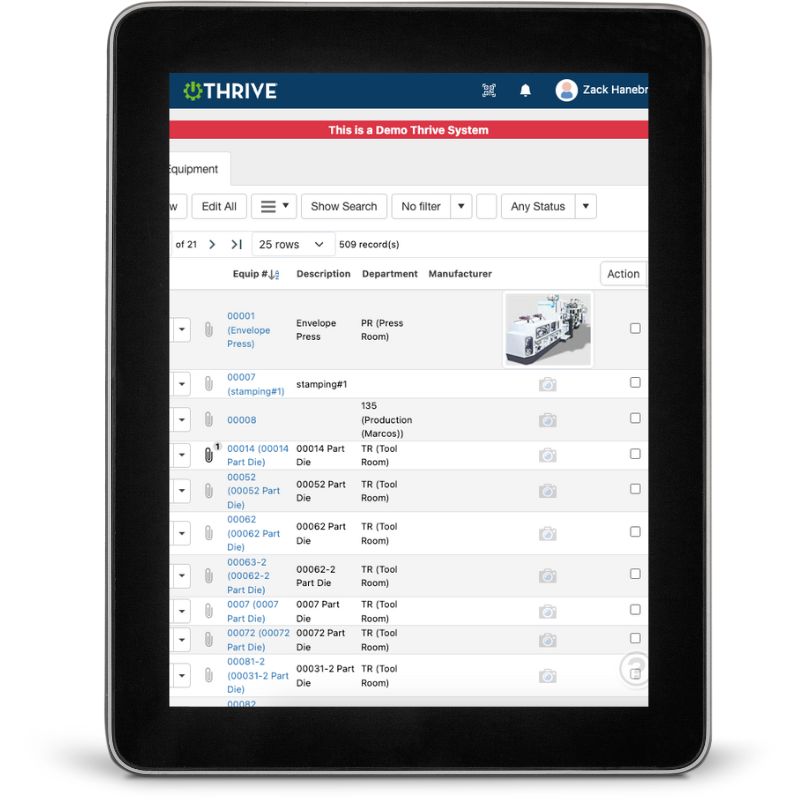
Thrive Work Request Queue
Submit from Anywhere – Anyone can log a request, even without a login
Required Fields – Ensure the info you need is always included
Central Queue – All requests land in one organized inbox
Approval Flow – Maintenance leads review and approve before scheduling
Priority Settings – Flag jobs by urgency, impact, or asset risk
Assignment Tracking – Assign requests to techs with due dates and updates
Now your team works on what matters most—with zero chaos.
Get Demo of Thrive
What’s Included in Request & Priority Management
Mobile Work Requests
Submit with 1-click or scan a QR code
Required Fields
Ensure enough detail to take action fast
Approval Workflow
Maintenance approves before assigning
Central Queue
View all open, pending, and approved requests
Priority Flags
Rank jobs by urgency—not who asks first
Assignment & Status
Techs get notified and mark jobs complete
Built for Busy Teams

When you’re overwhelmed with requests, the last thing you need is more noise.
With Thrive:
Anyone can request work—but only what’s needed gets through
Maintenance controls what gets done and when
Priority becomes a system—not a popularity contest
You move from chaos to calm in a few clicks
Thrive vs Reactive, Unmanaged Request Chaos
| Feature | Thrive | Old-School Work Request Process |
|---|---|---|
| Request submission | ✅ Anyone, anytime, QR-friendly | ❌ Walk-ups, calls, sticky notes |
| Info capture | ✅ Required fields = complete data | ❌ Missing details slow things down |
| Centralized view | ✅ One inbox for all requests | ❌ Spread across tools and emails |
| Prioritization | ✅ Urgency, impact, risk settings | ❌ Based on who’s loudest |
| Assignment flow | ✅ Track from submission to done | ❌ Lost in the shuffle |
Frequently Asked Questions
Can anyone submit a request without a Thrive login?
Yes. Thrive supports public or QR-based work request submission—great for operators or supervisors.
Can I control what info must be entered?
Absolutely. You can require things like location, asset, issue type, and priority.
Who approves or filters incoming requests?
That’s up to you—usually a maintenance manager or lead tech. Thrive gives you total control.
How does prioritization work?
You can flag requests by urgency or use custom fields to sort and filter jobs by what matters.
Companies big and small we partner with



Get Demo of Thrive
"Our IT loved working with Thrive!"
"- Beth Wilkerson, Compliance Manager, Specialty Manufacturing

"We have the real-time data for effective daily problem-solving"
- Pete Barboni, Intek Plastics
From Manual Chaos to Connected Excellence — How ASSA ABLOY Scaled Lean Manufacturing with Thrive
"We went from sticky notes and walking back and forth… to seeing everything on one screen." — Sergio, Engineering & CI Lead
Norton Modernization
"Easy integration with our systems" - Antonio Ancrum




LEAN TECHNOLOGIES
427 Main Street
Pella, IA 50219
866-LEAN-TEC (866 532-6832)
For Technical Support: [email protected]
ABOUT US | CONTACT US | VIDEOS | THRIVE RESOURCES | FAQ | CAREERS | BLOG | PRIVACY POLICY | TERMS OF USE
© Copyright 2026. Thrive by Lean Technologies. All rights reserved.

