

Free Manufacturing Excel Templates: Work Orders, 5S & Audits
The four spreadsheets every plant ends up building
Walk into almost any small or midsize manufacturer, and you'll find the same four spreadsheets. One tracks maintenance work orders. One holds 5S audit scores. One logs process audits. One tracks production jobs against their due dates.
Most of them were built by whoever needed them first. They break when that person goes on vacation, and they never quite talk to each other.
This guide walks through each of the four: what a good template should include, how to set it up, and the mistakes that quietly make the data useless. At the end, we'll cover how to tell when your plant has outgrown spreadsheets, and what to do about it.
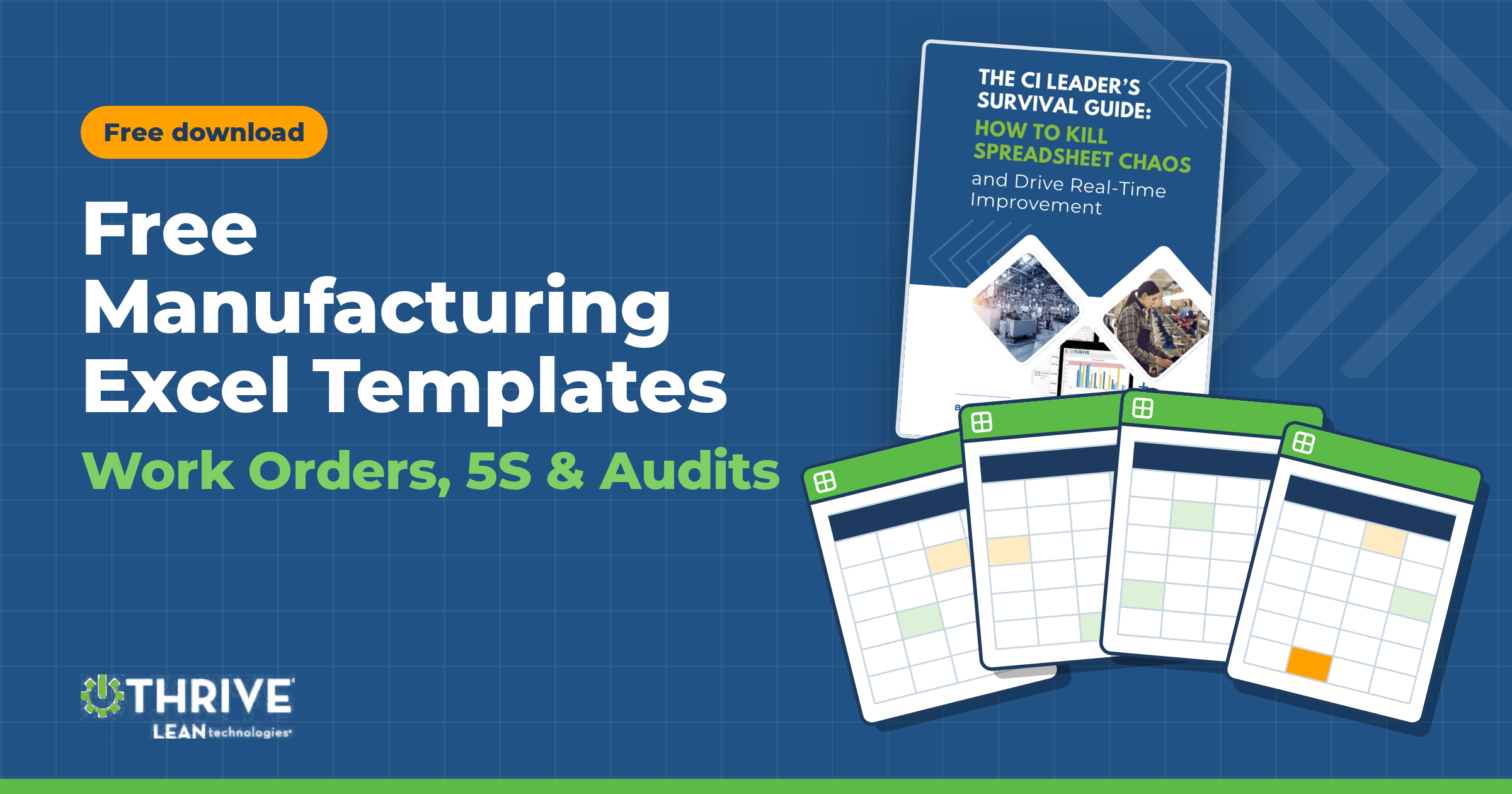
Want to skip ahead? Every template in this article is free to download as part of the CI Leader's Toolkit. You get four ready-to-use Excel files plus our ebook, The CI Leader's Survival Guide: How to Kill Spreadsheet Chaos and Drive Real-Time Improvement.
Template | What it does | Best for |
|---|---|---|
Maintenance Work Order Template | Printable work order form, tracker, asset list, and KPI dashboard | Maintenance managers, plant engineers |
5S Audit Checklist | 25-item scored audit, daily operator checklist, trend and action logs | CI leaders, area supervisors |
Manufacturing Process Audit Template | 24-question process audit, LPA schedule, findings and corrective action (CAPA) log | Quality managers, plant leadership |
Manufacturing Work Order Template | Production job traveler with routing, BOM, quality checks, and an on-time delivery schedule | Production planners, operations managers |
1. Maintenance work order template (Excel)
A maintenance work order template is a standard form for requesting, assigning, completing, and recording maintenance work on equipment. In Excel, the best versions do two jobs. They give technicians a clear one-page form, and they roll every work order into a tracker that shows what's open, what's late, and what it's costing you.
The second job is the one most free templates skip. A form without a tracker is just a nicer piece of paper.
What to include in a maintenance work order form
Every work order should capture enough to do the job safely and enough to learn from it later. At minimum:
Request details: work order number, date requested, who requested it, and department.
Asset information: asset name, asset ID, and location or line, so history can be traced back to a specific machine.
Priority and work type: emergency, high, medium, or low, and whether the job is corrective, preventive, safety, inspection, or improvement work.
Equipment status: running, running but degraded, or down. This is what tells you which jobs are costing production.
Problem description: what the operator actually saw or heard, in their words.
Safety requirements: whether lockout/tagout is required, any permits (hot work, confined space, work at height), and PPE.
Labor and parts: technician, hours, rate, part numbers, quantities, and cost, with automatic totals.
Completion details: root cause, work performed, date completed, downtime hours, and whether a follow-up work order is needed.
Sign-offs: technician and supervisor.
Root cause and downtime are the two fields most often left blank, and they're the two that matter most. Without them, you can't tell which assets are eating your maintenance budget or why.
How to set up maintenance work order tracking in Excel
A maintenance work order tracking template turns individual jobs into data you can manage. The tracker in the free toolkit is set up like this:
Start with an asset list. Give every piece of equipment an ID, name, location, and criticality rating (A = line down if it fails, B = slows production, C = minor impact). The tracker pulls from this list, so asset names stay consistent.
Log one row per work order. Record the date opened, asset ID, type, priority, description, assigned technician, and due date. The asset name and location fill in automatically.
Update status as work moves. Use a fixed status list (Open, In Progress, On Hold – Parts, On Hold – Access, Completed, Cancelled), so filters and counts stay accurate.
Let formulas flag problems. Days open calculates automatically, and any work order past its due date that isn't completed is flagged red as PAST DUE.
Review the dashboard weekly. It shows open, past-due, and completed work by priority, status, and type, plus total downtime, labor hours, and parts cost.
The maintenance KPIs your tracker should show
KPI | What it tells you | A reasonable target |
|---|---|---|
Past-due work orders (% of open backlog) | Whether the team is keeping up or falling behind | Under 10–15% |
Average days to complete | How quickly requests get resolved | Varies by priority; trend it down |
Preventive share of work | How planned your program is versus reactive | 60%+ of work orders or hours |
Downtime hours by asset | Which machines cost you the most in production | Use it to prioritize PMs and capital spend |
Parts and labor cost by asset | Where maintenance money goes | Flag assets trending up month over month |
Past-due work is the clearest early warning you have. When it starts climbing, preventive maintenance is usually the first thing to slip, and breakdowns follow a few weeks later.
Common mistakes with Excel maintenance work order templates
Requests that bypass the system. If operators still text the maintenance tech or stop them in the aisle, those jobs never hit the tracker and your backlog numbers are wrong.
Free-text asset names. "CNC 1," "Haas mill" and "VF-2" are the same machine to a person and three machines to a spreadsheet. Use an asset ID dropdown.
No due dates. Without a due date, nothing is ever past due, and you lose your best leading indicator.
Closing jobs without a root cause. You fix the same failure three times before anyone notices the pattern.
One person owns the file. When they're out, the tracker stops getting updated.
The free toolkit's Maintenance Work Order Template includes the printable form, the tracker, the asset list, and the dashboard, with every formula and dropdown already built.
2. Manufacturing 5S audit checklist (Excel)
A manufacturing 5S audit checklist scores how well a work area meets the five standards of 5S: Sort, Set in Order, Shine, Standardize and Sustain. Done consistently, it turns "the floor looks better" into a number you can track, compare across areas, and hold people to.
The catch is consistency. A 5S audit that happens once before a customer visit isn't a program. It's a cleanup.
What a 5S checklist for manufacturing should cover
A good checklist has about five items per S. That's enough to be thorough, and short enough to finish in 15–20 minutes. Here's what each S should check, with examples from the 25-item checklist in the toolkit:
5S category | What it checks | Example audit items |
|---|---|---|
Sort | Only what's needed is in the area | Unneeded tools and materials are red-tagged or removed; aisles and exits are clear |
Set in Order | Everything has a labeled home | Shadow boards or outlines for tools; floor markings are visible; min/max levels are posted |
Shine | The area and equipment are clean and inspected | Floors and machines free of oil and debris; cleaning schedule is posted and current |
Standardize | The standard is visible and consistent | Photos of the ideal state are posted; work instructions are current at the station |
Sustain | The habit holds without being pushed | Audits happen on schedule; results are posted and reviewed with the team |
Sustain is where most 5S programs fail. A checklist that only measures the first three S's will look great for a month, then slide.
How to score a 5S audit
A 0–4 scale works better than pass/fail because it shows progress before an item is perfect:
0 – Not in place
1 – Started, with major gaps
2 – Partly in place
3 – In place, with minor gaps
4 – Fully in place and sustained
Add up the points for each S and divide by the maximum possible to get a percentage. Do the same across all 25 items for an overall score. The toolkit's Excel template does this automatically, rates the area (90%+ Excellent, 75–89% Good, 60–74% Fair, under 60% Critical) and charts the score for each S so the weakest one is obvious at a glance.
Anything scored 0 or 1 should become an action item with an owner and a due date. Otherwise, the audit is just a report card.
Daily 5S checklist for manufacturing
The formal audit tells you where an area stands. A daily 5S checklist is what keeps it there. Operators run through it at the end of each shift in under five minutes.
The daily checklist in the toolkit covers 10 checks, marked Y or N for each day of the week:
Work area cleared of items not needed for the next shift
Tools returned to their designated locations
Floor swept; spills and leaks cleaned up
Machine and work surfaces wiped down
Aisles, walkways, and exits clear
Trash, scrap, and recycling bins emptied or below the fill line
Materials and supplies within min/max levels
Safety equipment and PPE accessible and in good condition
Abnormalities tagged and reported to the supervisor
Workstation reset and ready for the next shift
Daily completion percentages are calculated automatically, and any day below 80% is flagged. Post it at the workstation, have operators initial it, and have the supervisor verify it.
Tips for running 5S audits that actually stick
Audit on a fixed schedule. Weekly or biweekly per area, on the calendar, with a named auditor.
Rotate auditors across areas. People stop seeing problems in their own area. A fresh set of eyes scores more honestly.
Post results where the team works. A score that lives in someone's inbox changes nothing.
Track the trend, not the snapshot. One audit at 72% means little. Five audits sliding from 85% to 72% is a conversation.
Close the loop on findings. Log every action, assign an owner, and review overdue items at your daily huddle.
The toolkit's 5S Audit Checklist includes the scored audit, the daily checklist, a score trend log, and an action log.
3. Manufacturing process audit template and layered process audit checklist
A manufacturing process audit checks whether a process is being run the way it's supposed to be run, right now, on the floor. It isn't a paperwork review. The auditor stands at the process and verifies that the operator is following standard work, that parameters are in spec, and that controls are working.
A layered process audit (LPA) is the same idea run as a system. Several layers of the organization audit the same processes on a fixed schedule: supervisors daily, managers weekly, plant leadership monthly. Because leaders at every level keep showing up, small deviations get caught before they turn into defects or customer complaints. LPAs are common in automotive (and called for by many OEM customer requirements), but they work in any plant with repeatable processes.
Process audit vs. factory audit vs. LPA
Audit type | What it checks | Who does it | How often |
|---|---|---|---|
Factory audit (or manufacturing audit) | The plant's overall systems: quality, safety, documentation, capability | Internal quality team, customers or third parties | Annually or per contract |
Process audit | Whether one process is run to its standard | Quality, engineering or supervisors | Weekly to monthly per process |
Layered process audit (LPA) | The same high-risk checks, verified repeatedly by multiple layers of leadership | Supervisors, managers and plant leaders on a rotating schedule | Daily (layer 1), weekly (layer 2), monthly (layer 3) |
The template in this toolkit is built for process audits and LPAs. You can also adapt the question sections as a starting point for a broader factory audit template.
What to include in a manufacturing process audit checklist
Good process audit questions are specific, observable, and answerable with Yes, No, or N/A in a few seconds. "Is quality good?" is a bad question. "Are inspection gauges in use calibrated and within their due date?" is a good one.
The toolkit's checklist has 24 questions across eight sections:
Safety: PPE is worn; guards and interlocks are functional; lockout/tagout points are labeled.
Standard work: The work instruction is at the station and at the correct revision; the operator follows the sequence; the training matrix confirms sign-off.
Process parameters: Critical parameters are in spec; first-piece approval is documented; control charts are current.
Quality controls: Gauges are calibrated; nonconforming product is tagged and segregated; error-proofing was verified at shift start.
Equipment and tooling: Preventive maintenance is current; tooling is in good condition; no unreported abnormalities.
Materials: Lot traceability is maintained; FIFO is followed; the correct material is at point of use.
Housekeeping: The area meets its 5S standard; aisles and exits are clear; scrap is segregated.
Documentation: Previous findings are closed or on track; records are completed in real time; shift handoff notes are complete.
Compliance is calculated as Yes ÷ (Yes + No), so N/A answers don't drag the score down. The template shows compliance by section and overall. It also counts how many nonconformances were corrected on the spot, which is a good sign of an engaged team.
How to build a layered process audit schedule
The LPA schedule is where most programs succeed or fail. A practical setup:
Pick your high-risk processes first. Start with the processes behind your most recent customer complaints, scrap or safety incidents. Don't try to cover the whole plant in week one.
Assign layers and frequencies. Layer 1 (supervisors) audits daily. Layer 2 (managers and engineers) audits weekly. Layer 3 (plant leadership) audits monthly.
Rotate who audits what. Each auditor should see different processes over a quarter, so no one gets comfortable with their own area.
Plan 13 weeks at a time. The toolkit's schedule lays out a quarter by week and tracks each audit as Done or Missed.
Measure schedule adherence. Completion % by auditor and by layer shows whether leadership is actually showing up. If layer 3 adherence drops, everyone below notices.
Turning audit findings into corrective action
An audit finding that isn't tracked to closure is a wasted audit. Every "No" that wasn't corrected on the spot should go into a findings and corrective action (CAPA) log with:
The finding, process, and audit section
Severity (minor, major, critical)
Containment taken
Root cause
Corrective action, owner, and due date
Status (Open, Contained, In Progress, Closed, Verified)
The toolkit calculates days open and flags overdue actions in red. A results trend tab logs compliance by audit and averages it by layer, so you can see which processes are slipping and whether each layer is finding the same issues.
The toolkit's Manufacturing Process Audit Template includes the audit checklist, the LPA schedule, the CAPA log, and the results trend.
Download the free process audit template →
4. Manufacturing work order template (Excel)
A manufacturing work order, also called a production work order or job traveler, authorizes production of a specific quantity of a part. It tells the floor what to build, how to build it, what materials it needs, and when it's due. As the job moves, the work order captures what actually happened: hours, good parts, scrap, and quality results.
It's different from a maintenance work order. A maintenance work order fixes equipment. A manufacturing work order makes product.
What to include in a manufacturing work order template
Job details. Work order number, sales order or customer PO, customer, part number, description, revision, quantity, unit of measure, release date, due date, priority, and planner.
Routing. Each operation in sequence (Op 10, 20, 30, and so on) with its work center and standard setup and run hours. Then the actuals: hours, good quantity, scrap, operator, and completion date. The template calculates standard hours from the order quantity and shows the variance for each operation, flagging any operation more than 10% over standard.
Materials (bill of materials). Item number, description, quantity per unit, required quantity (calculated from the order quantity), issued quantity, and lot or heat number for traceability. Shortages are calculated automatically and flag red, so nobody finds out at Op 30 that the material isn't there.
Quality checks. The characteristics to verify, specification, gauge or method, frequency, result, pass/fail, and inspector. Failed checks flag red.
Job summary. Quantity complete, % complete, scrap rate, labor efficiency (standard ÷ actual hours), and days to the due date, all calculated as the job progresses.
Sign-offs. Released by, completed by, and QA approval.
Tracking production work orders against due dates
One work order tells you about one job. A work order schedule tells you whether you're going to ship on time. The toolkit's schedule logs every work order with quantity ordered and complete, current work center, release and due dates, and status. It also calculates:
% complete for each job
Days late for anything past its due date
On-time status (On Time, Late, or LATE for open jobs already past due)
On-time delivery % across all completed jobs
Sort by due date every morning and the conversation at your production meeting changes. It becomes "which three jobs are at risk this week," not "what's going on with the Acme order."
Common mistakes with manufacturing work orders
Filling in actuals at the end of the shift. Hours and quantities written from memory are guesses. Record them when each operation finishes.
Ignoring scrap at intermediate operations. If Op 20 scraps 15 parts, Op 40 can't make the order quantity. Track good and scrap at every step.
Paper travelers that get lost. When the traveler disappears, so does the job's history and traceability.
No link between the work order and the schedule. If status lives on the traveler but the schedule is updated weekly, the schedule is always wrong.
The toolkit's Manufacturing Work Order Template includes the full production work order and the work order schedule.
Download the free manufacturing work order template →
When your plant outgrows Excel templates
These templates work. For one area, one line or one auditor, a well-built spreadsheet is a real step up from paper and whiteboards.
But every plant reaches a point where the spreadsheets start running the CI leader instead of the other way around. Watch for these signs:
You spend hours a month just compiling data. Copying audit scores into a summary file, rebuilding the same charts for the monthly review.
Nobody sees a problem until the report. A work order goes past due on Tuesday, and you find out at Friday's meeting.
Findings stall between the audit and the fix. The action log grows, and nobody's sure who owns what.
Version control is a guess. "5S_Audit_FINAL_v3_Mike.xlsx" is on the shared drive, and two other versions are in email.
Data comes in late, or not at all. Operators and techs write it on paper, and someone types it in later, if they have time.
Your four spreadsheets don't talk to each other. A failed process audit should trigger a maintenance work order. In Excel, someone has to remember to do it.
If three or more of these sound familiar, the spreadsheet isn't the problem. The problem is that the work happens on the floor while the data lives in a file at a desk.
What changes when the spreadsheets go away
ASSA ABLOY was in exactly this position. CI leaders were spending 3–6 hours a month on Excel data entry. Paper audits took weeks to process, and supervisors were managing priorities from sticky notes and outdated charts.
After moving those workflows onto Thrive, they saw:
66% fewer past-due work orders, within two weeks
Admin time cut from 6 hours to 5 minutes for CI audit reporting
Audit feedback delivered 2–3 weeks faster, using tablets with photo capture and voice-to-text
"I used to spend hours on Excel and PowerPoint. Now I just grab a snapshot from Thrive's dashboard." — CI Coordinator, ASSA ABLOY
Thrive is a digital lean platform for manufacturers. It runs the same workflows in this article (maintenance work orders, 5S audits, layered process audits, production tracking) on any phone or tablet. Data comes straight from the people doing the work, dashboards update in real time, and every failed check or overdue job is tracked from the moment it's found to the moment it's fixed. Pricing is flat per site, with unlimited users and every module included, so you can start with one workflow and scale into the rest.
Get the templates and the playbook
Start with the templates. When you're ready to plan the move off spreadsheets, the ebook in the toolkit lays out how.
The free CI Leader's Toolkit includes:
Maintenance Work Order Template
5S Audit Checklist
Manufacturing Process Audit Template (with LPA schedule)
Manufacturing Work Order Template
The CI Leader's Survival Guide: How to Kill Spreadsheet Chaos and Drive Real-Time Improvement
Download the free CI Leader's Toolkit →
Already feeling the limits of spreadsheets? See the same workflows in Thrive in a 15-minute screen share →
Frequently asked questions
Is there a free maintenance work order template for Excel?
Yes. The CI Leader's Toolkit includes a free maintenance work order template for Excel. It has a printable work order form, a work order tracker with past-due flags, an asset list, and a KPI dashboard. Download it from [TOOLKIT LANDING PAGE URL].
How do I track maintenance work orders in Excel?
Create an asset list, then log one row per work order with the date opened, asset ID, priority, type, assigned technician, due date, and status. Use formulas to calculate days open and flag past-due work orders. Then summarize open, past-due, and completed work on a dashboard you review weekly.
What should a manufacturing 5S audit checklist include?
About five audit items for each of the five S's: Sort, Set in Order, Shine, Standardize, and Sustain. Score each item on a 0–4 scale, calculate a percentage for each S and overall, and log any item scored 0 or 1 as an action with an owner and a due date.
How often should you do a 5S audit?
Most plants audit each area weekly or every two weeks, with operators completing a short daily 5S checklist at the end of each shift. Consistency matters more than frequency. An audit that happens on schedule every two weeks beats a weekly audit that's skipped half the time.
What is a layered process audit in manufacturing?
A layered process audit (LPA) is a short, standardized audit of high-risk process checks, done repeatedly by multiple layers of leadership. Typically, supervisors audit daily, managers weekly, and plant leadership monthly. The goal is to catch small deviations from standard work before they cause defects.
What's the difference between a process audit and a factory audit?
A factory audit reviews a plant's overall systems, such as quality, safety, and documentation. It's usually done annually or for a customer. A process audit checks whether one specific process is being run to its standard right now, and is done at the process on a frequent schedule.
What is a manufacturing work order?
A manufacturing work order, or production work order, authorizes production of a set quantity of a part. It includes the routing (operations and work centers), materials, quality checks, and due date, and it records actual hours, good parts, and scrap as the job moves through production.
Can I use these templates in Google Sheets?
Yes. The templates open in Google Sheets, though some formatting and charts may shift slightly. They're built for Excel, including Excel for Microsoft 365.
When should a manufacturer move from Excel to software?
When compiling data takes hours each month, problems surface only in reports, findings stall without owners, or several spreadsheets need to share information. At that point, a platform that captures data at the point of work and tracks issues to closure pays for itself in reclaimed time and faster response.





