
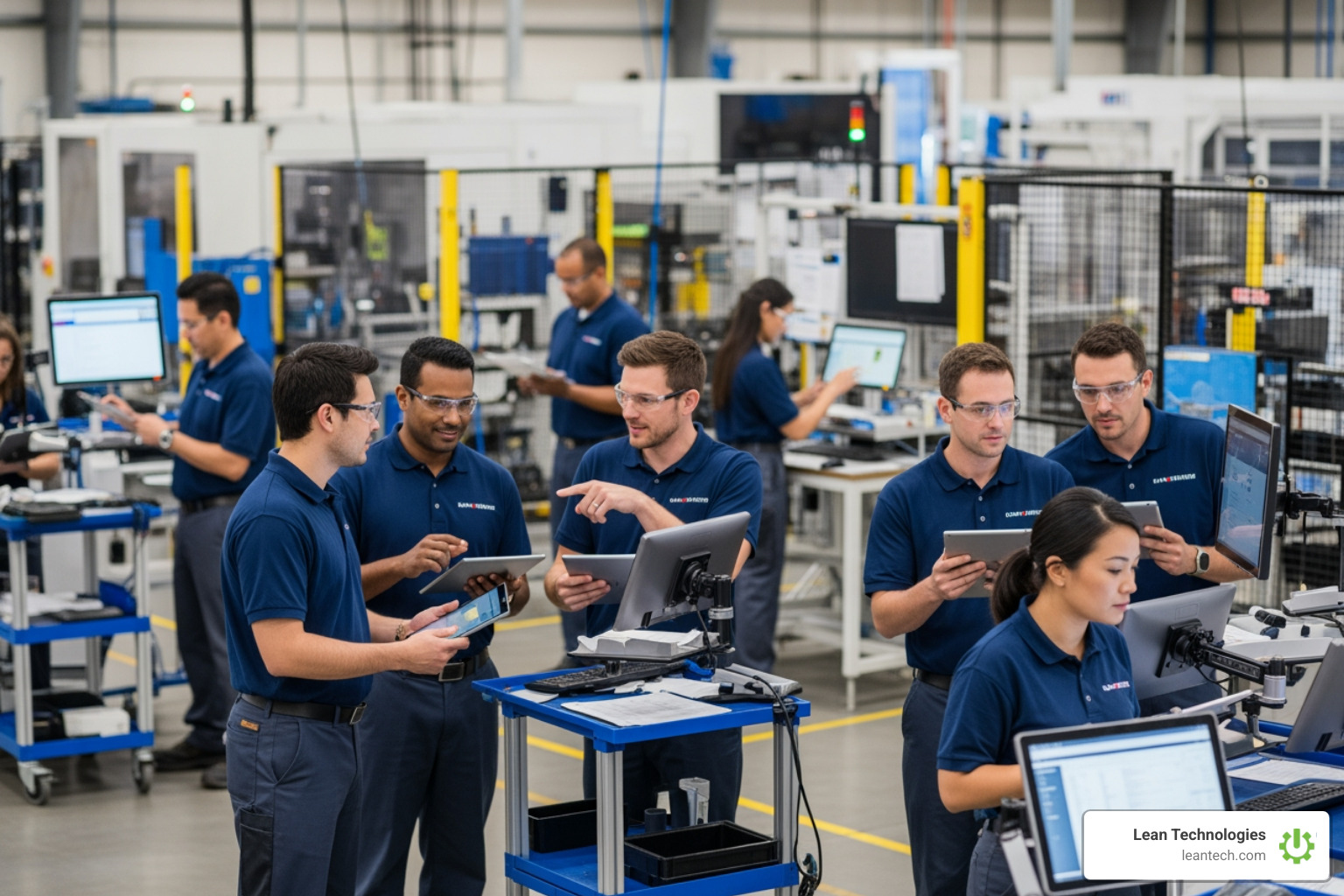
How to Go Paperless Without Losing Your Mind
Still Running Your Shop Floor on Paper? Here's What It's Costing You
A paperless work order system is software that replaces printed work orders with digital tasks — created, assigned, tracked, and closed entirely on computers, tablets, or mobile devices, with all data stored in one central platform.
Here's how it works at a glance:
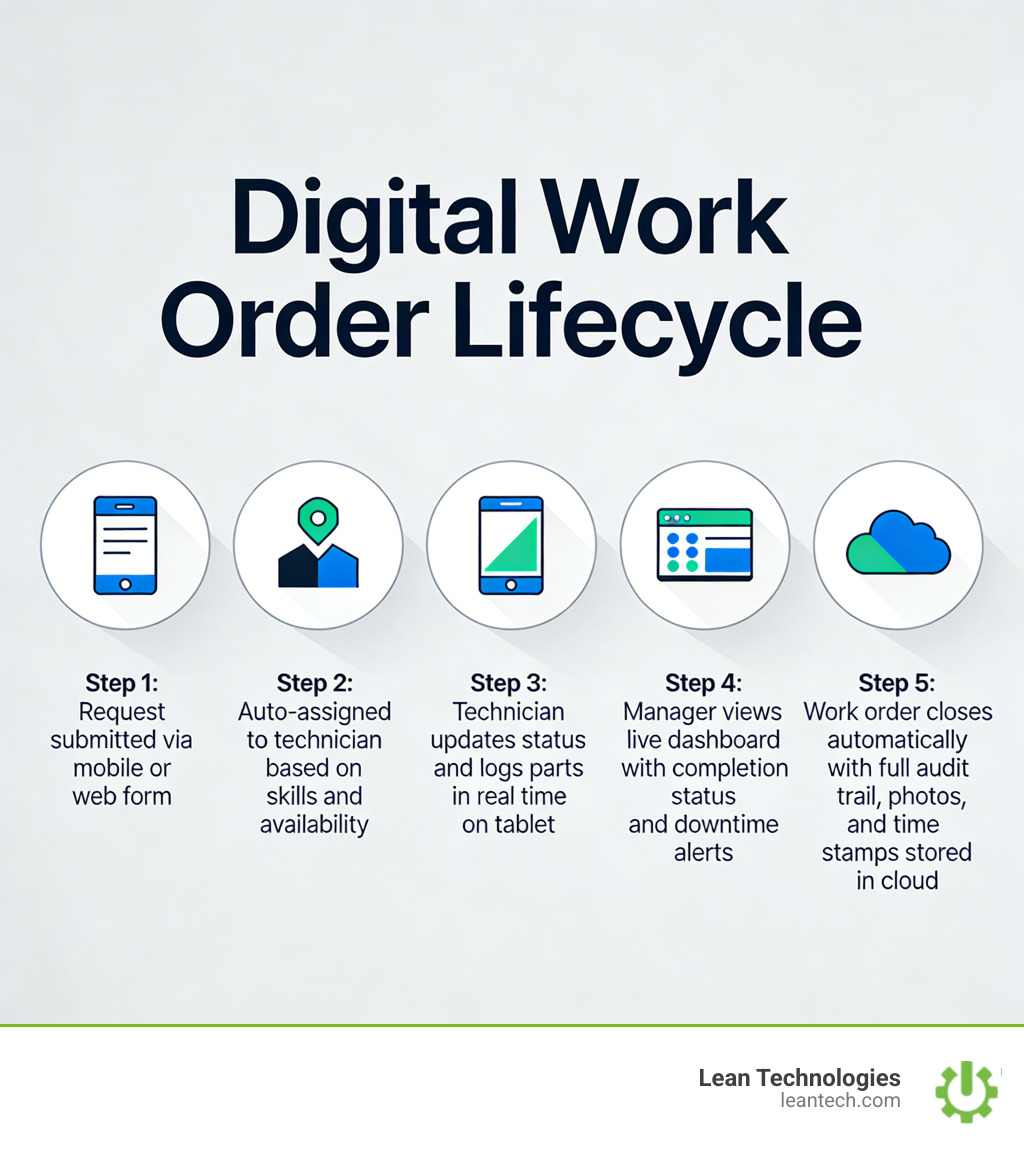
A maintenance request is submitted digitally (by anyone, from anywhere)
The system auto-assigns it to the right technician based on skills or availability
The technician receives it on their mobile device and updates progress in real time
Managers see live status — no chasing, no clipboards, no delays
Completed work orders are stored automatically, with full audit trail intact
Picture this: it's Monday morning. A technician pulls a crumpled work order from a stack on the desk. Half the handwriting is smudged with grease. The part number is illegible. The job was supposed to start Friday.
That's not a rare edge case. That's Tuesday for most shops.
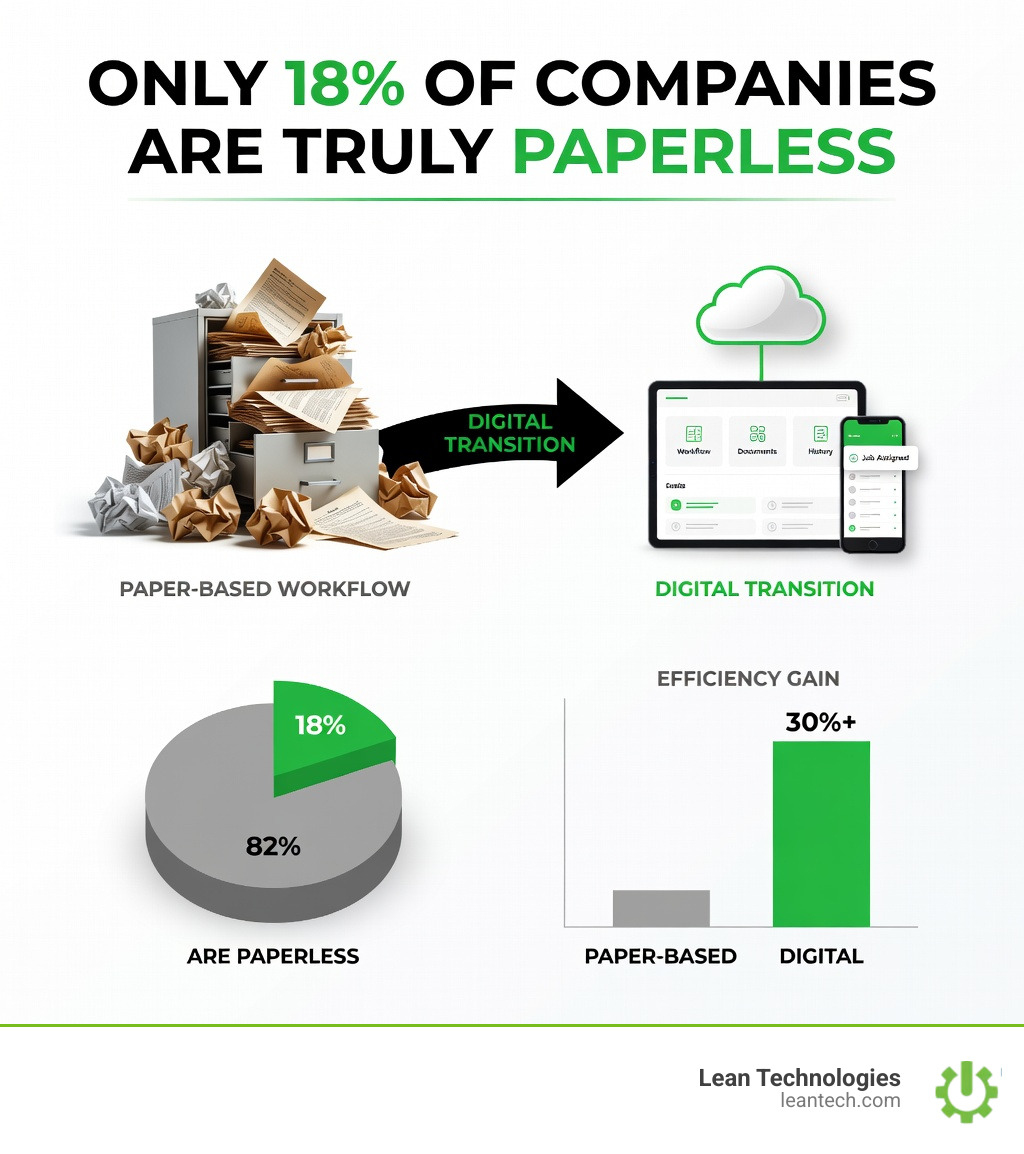
Only 18% of companies are truly paperless — meaning the vast majority are still losing time, data, and accountability to paper-based processes. One manufacturing facility that digitized its 300-500 weekly work orders saved over 1,560 hours per year just by eliminating the printing, stapling, and manual distribution. Another cut signature collection time from nearly an hour down to seconds using digital approvals.
The problems with paper aren't just inconvenient. They're expensive. Lost work orders cause unplanned downtime. Manual data entry creates errors. Communication gaps slow every team down. And by the time a supervisor spots a problem in a weekly report, the damage is already done.
This guide walks through how to make the switch from paper to digital — without the chaos that usually comes with it.
What is a Paperless Work Order System?
Think of a paperless work order system as the digital nervous system of your shop floor. It is a centralized, cloud-based hub that manages every task, job, and request without a single sheet of paper. Instead of physical binders and clipboards, your team uses a digital suite of apps accessible from any device.
This isn't just about "scanning PDFs." A true digital system uses paperless travelers—digital document packages that follow a product or a machine through its entire lifecycle. These travelers ensure total accountability and traceability by pulling in real-time data from your ERP and engineering documents. When a technician opens a task, they aren't just seeing a "to-do" list; they are seeing the latest instructions, safety protocols, and part specifications.
Defining the Paperless Work Order System
At its core, the system is built for software accessibility. Whether an operator is at a desktop or a technician is deep inside a machine with a tablet, the workflow remains the same.
Key components include:
Tablet Workflows: Optimized interfaces for touchscreens that allow for quick taps and photo uploads.
Automated Assignment: Logic that sends the right job to the person with the specific skill set or the highest availability.
Digital Document Packages: Centralized folders containing everything needed for a job—manuals, diagrams, and history.
By digitizing these processes, you create a permanent, searchable record of every action taken on the floor. To understand how far we've come from the days of "carbon copies," you can learn more about work order history and how it has evolved into the high-speed digital tools we use today.
Why Your Shop Floor Needs a Paperless Work Order System
If you are still using paper, you are essentially running your business with a blindfold on. Digital work orders can improve efficiency by up to 30%. That is the difference between meeting your production targets and missing them because of a "lost" request.
Take real-world examples: Large-scale manufacturers like Magna International saved over 1,560 hours per year simply by cutting out the administrative "paper shuffle." Companies like BioKyowa found that digital signatures reduced audit prep from hours to seconds. When everything is digital, the data is "clean," readable, and—most importantly—instant.
Feature Paper-Based Workflow Digital Work Order System Data Entry Manual, prone to "grease-smudge" errors Real-time, validated digital input Visibility Requires physical check-ins Instant dashboard updates Accountability Hard to track who did what and when Automatic timestamps and user logs Storage Filing cabinets and binders Secure, searchable cloud storage Speed Limited by physical movement of paper Instant notification via mobile
Solving Traditional Maintenance Problems
The "old way" is riddled with hidden costs. Misplaced documents lead to skipped preventive maintenance, which leads to catastrophic machine failure. Data errors from unreadable handwriting mean the wrong parts get ordered.
A paperless work order system acts as a "fool-proof" process. It creates an ironclad audit trail that is impossible to replicate with paper. When an inspector asks for maintenance history, you don't dig through a box; you hit "export." To see this in action, you can see this video on tracking plant velocity to understand how real-time data helps you address production issues immediately.
Key Features of Modern Shop Floor Software
Not all software is created equal. If it’s clunky, your team won’t use it. If it doesn’t work on a mobile device, it’s just a digital filing cabinet. To truly thrive, your paperless work order system needs to be built for the "frontline worker."
Mobile Accessibility: Your technicians are mobile; their software should be too. Native apps allow for updates on the go, even in areas with spotty Wi-Fi.
IoT Integration: Modern systems can connect to machine meters. When a machine hits 1,000 hours, the system automatically triggers a work order.
Custom Fields and SLA Tracking: Every shop is unique. You should be able to track the specific metrics that matter to you, like Service Level Agreements (SLAs) for critical equipment.
QR Code Scanning: Stick a QR code on every machine. A technician scans it and instantly sees the entire asset history and open work orders.
Real-Time Tracking and Reporting
The real power of going paperless is the automated KPIs. You no longer have to spend Friday afternoon squinting at spreadsheets.
Downtime Alerts: Get a text or email the second a "Machine Down" work order is created.
Asset History: See which machines are "lemons" by tracking repair costs over time.
Preventive Maintenance (PM): Shift from "firefighting" to proactive care.
For those looking to take their operations to the next level, explore our guide to digital lean manufacturing to see how these features fit into a broader strategy of continuous improvement.
How to Transition to Digital Without the Headache
Switching systems feels daunting, but it doesn't have to be a "rip and replace" nightmare. The key is to start small and move fast.
Define Your Goals: Don't just say "we want to go paperless." Say "we want to reduce unplanned downtime by 15%."
Assemble Your Team: Get buy-in from the people who will actually use the tool. If the technicians hate it, the project will fail.
Workflow Mapping: Don't just digitize a bad process. Look at your current paper trail and ask, "Why do we do it this way?"
Pilot Programs: Start with one department or one production line. Learn the lessons there before rolling it out to the whole plant.
Selecting Your Paperless Work Order System
When shopping for a solution, look for scalability. You might start with 5 users, but you need a system that can handle 50. The user interface is also critical—if it takes more than three clicks to close a work order, it's too complicated.
Most importantly, look for offline functionality. Shop floors are notorious for dead zones. Your team needs to be able to log data offline and have it sync automatically once they're back in range. You can discover Thrive for maintenance teams to see how a system designed by manufacturing experts handles these shop-floor realities.
Role-Based Benefits of Going Paperless
Everyone wins when the paper goes away, but they win in different ways:
Maintenance Managers: They get plant velocity—a real-time look at how fast jobs are being completed. No more guessing who is busy and who is waiting for parts.
EHS Professionals: Compliance becomes a breeze. Digital signatures and photo attachments provide "proof of work" that satisfies any auditor. You can use these tools to improve safety documentation and ensure no inspection is ever missed.
Operators: They get ownership. When an operator can log an issue in 10 seconds on a tablet, they feel empowered to keep the line running.
Executives: They get visibility. A real-time production dashboard allows them to make strategic decisions based on facts, not "gut feelings" or outdated reports.
Frequently Asked Questions about Paperless Work Orders
What are the main benefits of switching to paperless work orders?
The biggest benefits are increased efficiency, better data accuracy, and real-time visibility. You eliminate the time wasted on manual data entry and searching for lost paperwork. Plus, you gain a searchable history of every repair, which is vital for audits and long-term asset management.
How does a paperless system improve shop floor efficiency?
It streamlines communication. Instead of a technician walking back to the office to get their next assignment, they receive a notification on their device. It also automates "non-value-added" tasks like filing, printing, and distributing papers, allowing your team to focus on actual maintenance and production.
Is it difficult to integrate paperless systems with existing ERPs?
Not if you choose the right tool. Modern systems like Thrive are designed to work alongside your ERP. While the ERP handles the "back office" (accounting, high-level scheduling), the paperless work order system handles the "frontline" (execution, real-time logging). They can sync data via APIs so you have one version of the truth.
In Summary
The transition to a paperless work order system isn't just a tech upgrade; it's a competitive necessity. In an era of lean manufacturing, you cannot afford the "lag time" that paper creates. Real-time beats real-late every single day.
At Lean Technologies, we built Thrive to be the flexible digital toolbox that manufacturers actually need. It’s not a bloated ERP; it’s a shop-floor-first platform that helps you log issues, track actions, and drive continuous improvement in real time.
Stop managing your shop floor through spreadsheets and wishful thinking and start running lean with the visibility your team deserves.





