
A Practical Guide to Comparing Computer Integrated Manufacturing Software
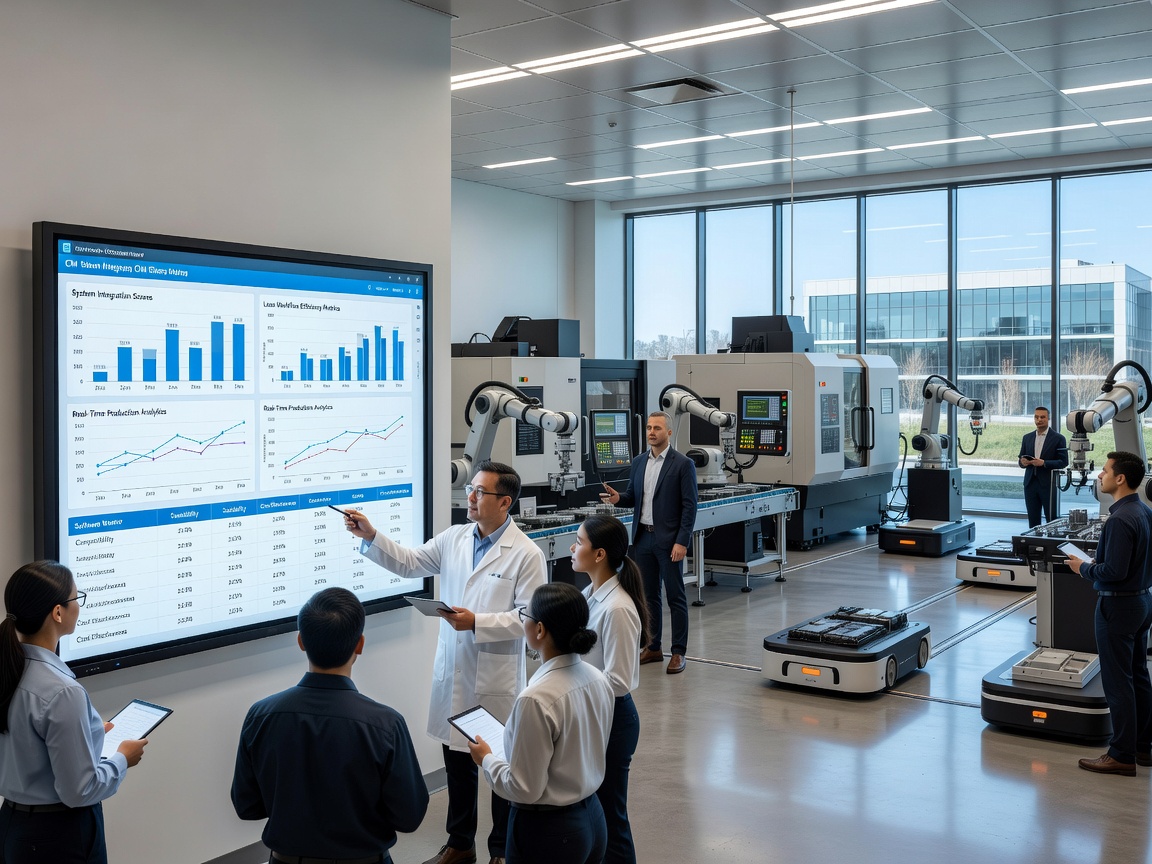
When shop floor operators rely on paper logs and isolated machinery, miscommunication and production bottlenecks quickly disrupt plant efficiency. Computer integrated manufacturing software addresses this frustration by connecting disparate machines, engineering systems, and operational data into a unified digital ecosystem. Rather than leaving individual shopfloor machines or engineering departments isolated, an integrated CIM platform links real-time operations through a central data framework.
At its core, a complete CIM software environment relies on a central data repository. This centralized hub ensures that product designs, production schedules, inventory records, and operational logs are stored in a single place. Centralized data synchronization prevents data loss when passing information between CAD models, production planning routines, and physical machining operations.
To create a closed-loop production environment, CIM software coordinates both logical data flows and physical material movements on the shop floor. Key architectural components typically include:
Central Management Control Stations: Serves as the operational brain, hosting the primary software databases, executing control algorithms, and coordinating scheduling across automated departments.
Automated Storage and Retrieval Systems (ASRS): Manages raw materials and finished goods inventory automatically, communicating stock updates directly to production planning tools.
Continuous-Loop Conveyors and Material Handling: Automated transport networks—including continuous conveyors and Automated Guided Vehicles (AGVs)—governed by routing software to deliver parts to active workstations.
Shopfloor Communication Networks: High-speed, standardized networking (such as TCP/IP or Industrial Ethernet) that connects central software control stations with physical machinery and field hardware.
By establishing standardized communication channels across these components, manufacturers can transform disconnected plant machinery into a synchronized ecosystem. To learn more about structuring your shopfloor digital roadmap, explore our Guide to Digital Lean Manufacturing.
Hardware vs. Computer Integrated Manufacturing Software
Understanding the distinction between hardware and software components in a computer-integrated manufacturing setup is essential when evaluating technology investments.
System Aspect CIM Hardware CIM Software Primary Function Physical execution of material shaping, moving, and processing. Data orchestration, process planning, routing logic, and system supervision. Key Examples CNC machine tools, industrial robots, ASRS cranes, PLCs, conveyers, sensors. CAD/CAM engines, MES work order schedulers, PLM repositories, ERP modules. Operational Focus Precision cutting, material transport, physical assembly, hardware telemetry. Transform eBOMs to mBOMs, issue production instructions, track downtime, log quality metrics.
While physical machinery provides the mechanical power to produce goods, computer integrated manufacturing software acts as the central brain. Physical hardware alone cannot eliminate shopfloor bottlenecks if machine operators must manually enter work instructions or transcribe paper downtime logs.
Software Workstations and Specialized Modules
To handle diverse shop floor demands, modular CIM software architecture allows plants to activate specialized software workstations based on specific production steps:
Process Control and Automation Modules: Software interfaces that send numerical programs and parameters directly to CNC machines, laser engravers, or specialized cutting equipment.
Fluid Power and Device Management: Digital controllers monitoring pneumatic and hydraulic actuation, ensuring correct clamping pressure and tool indexing during machining cycles.
Quality Control Inspection Modules: Software tools that gather coordinate measuring machine (CMM) data, vision system results, and manual quality checks to maintain tight operational tolerances.
Custom Station Integration: Flexible modules that adapt to specialized production steps, such as automated packaging, chemical treatment monitoring, or specialized asset testing.
How Enterprise Systems Connect within Computer Integrated Manufacturing Software
Connecting engineering design, shop floor execution, and business logistics requires clear system integration. Without unified data flows, enterprise departments fall into the trap of "islands of automation" - a classic industry problem where CAD software, shop floor robotics, and accounting databases function independently without cross-system communication.
Bridging CAD, PLM, and ERP with Computer Integrated Manufacturing Software
Achieving a complete digital thread requires linking three core enterprise systems: Product Lifecycle Management (PLM), Enterprise Resource Planning (ERP), and shopfloor execution platforms.
PLM platforms serve as the primary source of truth for product designs and configurations. By centralizing engineering change requests and revision controls across global teams, PLM systems help manufacturers streamline R&D workflows, speed up production lead times, and control quality costs.
Within a connected CIM framework, software streamlines the transition from product design to physical production through a structured flow:
CAD/CAM Design: Product engineers create 3D CAD models and use Computer-Aided Manufacturing (CAM) tools to generate machine toolpaths.
eBOM to mBOM Transformation: The Engineering Bill of Materials (eBOM) created in CAD is uploaded into the PLM software and converted into a Manufacturing Bill of Materials (mBOM).
ERP Resource Allocation: The mBOM feeds into the ERP system to calculate material requirement planning (MRP), check stock levels, generate purchase orders, and release work orders.
Shopfloor Dispatch: Integrated CIM software pulls released work orders from the ERP and assigns them directly to available shop floor workstations and operators.
Maintaining data integrity during these system exchanges reduces non-conformance issues. For more strategies on capturing shopfloor defects early, read about integrated manufacturing Quality systems.
The ISA-95 Standard for Seamless Manufacturing Communication
To organize how software platforms and shop floor machines exchange data, industrial organizations rely on the international ISA-95 framework (IEC 62264). The International Society of Automation provides additional background on the ISA-95 enterprise-control system integration standard. Developed to replace legacy proprietary connections, ISA-95 defines a 5-level hierarchy for manufacturing operational management:
Level 0 (Physical Process): The actual production machinery, sensors, motors, and physical equipment operating on the plant floor.
Level 1 (Sensing and Manipulation): Instrumentation, limit switches, temperature sensors, and actuators that monitor and manipulate the physical process.
Level 2 (Monitoring and Supervision): Programmable Logic Controllers (PLCs), Supervisory Control and Data Acquisition (SCADA) systems, and Distributed Control Systems (DCS) that execute continuous control loops.
Level 3 (Manufacturing Operations Management): Manufacturing Execution Systems (MES), CMMS software, and quality tracking tools that oversee shop floor work order routing, inventory tracking, maintenance schedules, and shift performance.
Level 4 (Business Planning and Logistics): Enterprise Resource Planning (ERP) systems, finance software, and high-level supply chain tools that set overarching production schedules and track business performance.
ISA-95 provides standard terminology, message formats, and object models - such as Part 5 (Business-to-Manufacturing Transactions) and Part 7 (Alias Service Models) - to allow software applications to connect across vendor boundaries using modern API layers.
The Role of MES, PLM, and CMMS in Reducing Downtime and Improving Quality
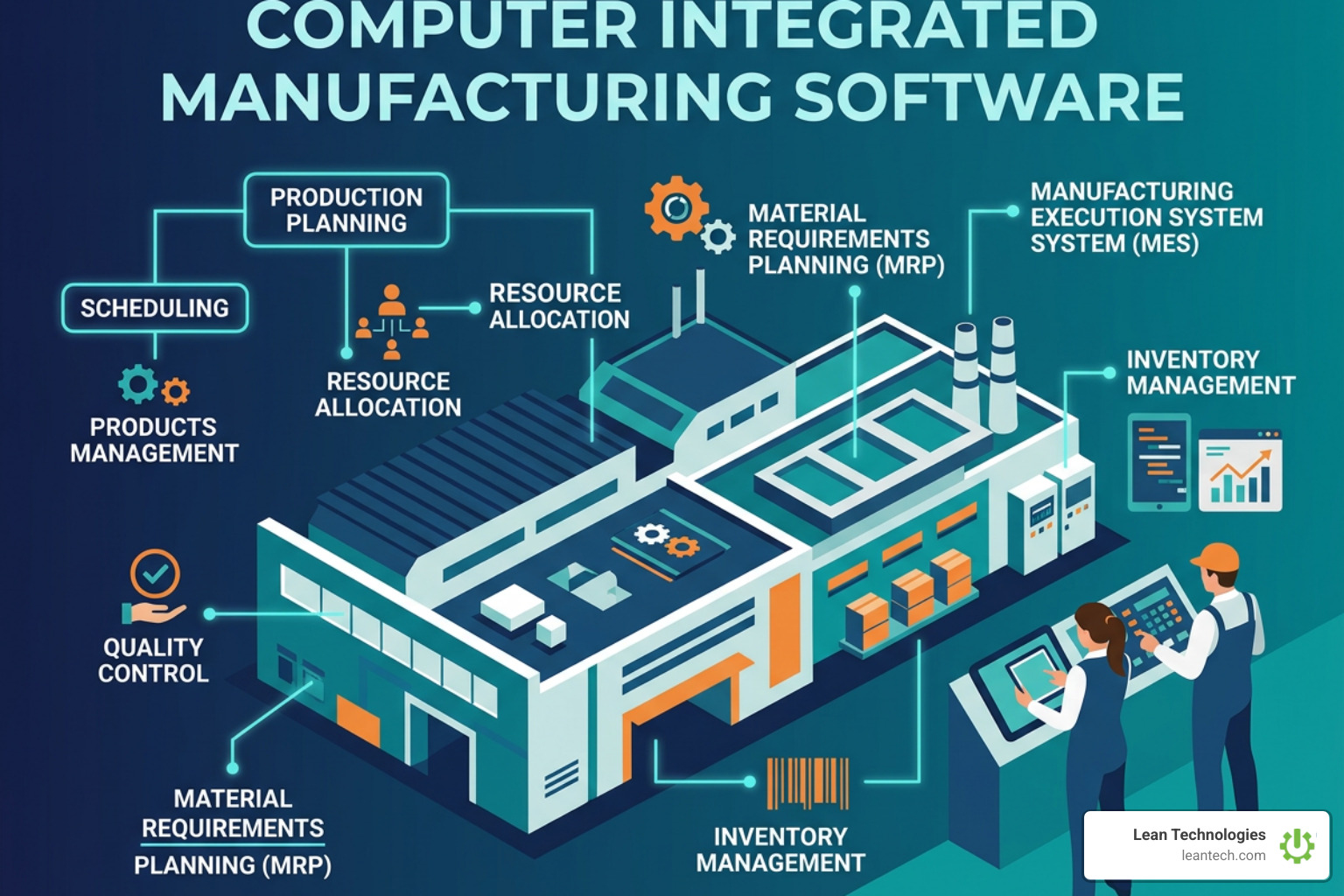
A comprehensive CIM setup uses several digital tools working together to optimize shop floor productivity. Understanding where each system excels helps plant leaders select the right tools for their operations.
Feature / System Product Lifecycle Management (PLM) Manufacturing Execution System (MES) Computerized Maintenance Management System (CMMS) Thrive Platform Primary Objective Manage product lifecycle, design data, eBOMs, and engineering changes. Track, execute, document, and schedule shopfloor work orders in real time. Manage maintenance work orders, preventive tasks, spare parts, and asset lifespans. Digitize shopfloor lean workflows, issue logging, action tracking, and daily CI routines. Primary Users Design engineers, R&D teams, quality engineering, enterprise architects. Shop floor supervisors, production schedulers, machine operators. Maintenance technicians, reliability engineers, MRO spare parts managers. Frontline production teams, CI managers, plant managers, safety officers, maintenance. System Focus Engineering structures and design governance. Detailed shopfloor dispatch and order tracking. Asset health, maintenance schedules, and equipment uptime. Daily operational accountability, structured lean work processes, rapid problem resolution. Data Source CAD tools, change orders, customer specs. PLCs, machine cycles, manual shop floor operator inputs. Maintenance inspections, run-time hours, technician logs. Structured operator entries, tablet/mobile issue logs, imported machine logs.
Role of Manufacturing Execution Systems in CIM
Manufacturing Execution Systems (MES) serve as the execution engine within a CIM environment. Operating primarily at Level 3 of the ISA-95 framework, an MES bridges high-level business plans in an ERP with minute-by-minute operations on the shop floor.
When an MES is connected within computer integrated manufacturing software, it provides:
Real-Time Work Order Routing: Automatically delivers correct numerical control programs, setup sheets, and drawings directly to shop floor terminals.
Work-in-Progress (WIP) Tracking: Logs completed quantities at each machine station, providing clear visibility into shop floor orders.
Operator Guidance: Delivers digital standard operating procedures (SOPs) to operators, reducing quality errors during product switchovers.
Closed-Loop Quality Checks: Captures inline inspection data, preventing non-conforming parts from advancing down the assembly line.
To streamline shopfloor task routing, explore how software enables structured Workflow Tracking across teams.
Eliminating Unplanned Downtime with Integrated Asset Management
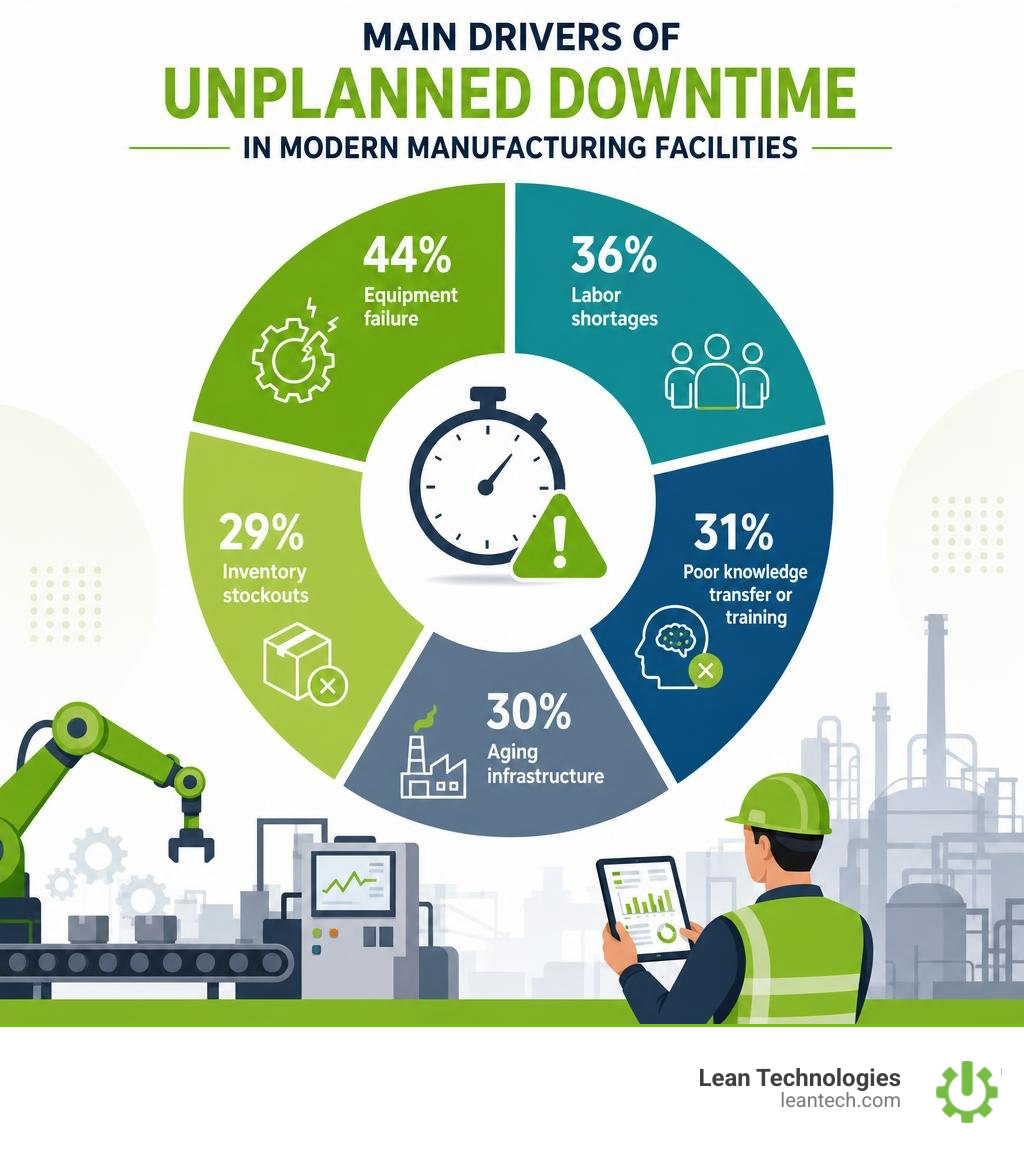
Unplanned equipment downtime severely impacts manufacturing productivity. Unplanned stoppage drivers include:
Equipment failure: 44%
Labor shortages: 36%
Poor knowledge transfer or training: 31%
Aging infrastructure: 30%
Inventory stockouts: 29%
Furthermore, 79% of manufacturing teams experienced the same or increased levels of unplanned downtime over the past year, while 39% reported that the overall cost of downtime has increased over the same period.
Integrating dedicated asset maintenance tools into your shop floor strategy mitigates these downtime drivers. Industry metrics show that adopting a computerized maintenance management system yields significant measurable benefits:
28.3% increase in maintenance productivity.
20.1% reduction in equipment downtime.
17.8% reduction in MRO (Maintenance, Repairs, and Operational) inventory costs.
10% to 15% increase in total equipment life.
Connecting asset tracking tools directly to shopfloor operations enables maintenance teams to transition from reactive repairs to structured asset care. For instance, linking Equipment Asset Tracking tools with Planned Maintenance workflows ensures preventive inspections occur automatically based on runtime hours rather than unexpected breakdowns.
When unexpected machine faults do occur, operators can log detailed cause codes, trigger alerts, and record scrapped parts using Defect Scrap Tracking. Accessing historical equipment records via CMMS integrations gives technicians instant context to make rapid repairs and maintain uptime.
Overcoming Implementation Challenges in Computer Integrated Manufacturing Software

Implementing enterprise computer integrated manufacturing software presents technical and organizational challenges. Understanding these common obstacles helps teams prepare effectively:
Managing Disparate Equipment Standards: Modernizing legacy machines that use proprietary communication protocols requires hardware adapters or API abstraction layers to communicate with enterprise databases.
Ensuring Data Integrity: Automated control loops depend on accurate inputs. Missing data or unstandardized inputs from manual paper records can disrupt operational workflows.
Addressing Technical Skill Gaps: Deploying complex integrated architectures requires skilled engineering oversight to address unexpected process anomalies that software logic cannot foresee.
Navigating Organizational Resistance: Frontline technicians and operators may resist complex new software systems if they feel tools increase administrative overhead rather than simplifying daily tasks.
Overcoming cultural resistance requires proactive organizational support. Discover effective techniques for engaging frontline personnel by applying structured Change Management frameworks during system deployments.
Implementing Modular Rollouts and Flexible Manufacturing Systems
Rather than attempting a complex, plant-wide "big bang" installation, leading facilities implement CIM technology through modular, phased rollouts. Starting with high-impact production lines allows operations teams to prove ROI, build technical expertise, and refine internal procedures before expanding across the plant.
A modular approach supports Flexible Manufacturing Systems (FMS), enabling plants to adapt quickly to variable product demands, mass customization, and short lead times without reconfiguring physical infrastructure. Managing lean work execution during phased rollouts is simpler when teams can visualize order bottlenecks using a modern Kanban Board Tool.
Frequently Asked Questions About Computer Integrated Manufacturing Systems
What is the difference between CIM hardware and CIM software?
CIM hardware encompasses the physical equipment on the factory floor, including CNC machine tools, industrial robots, continuous conveyor networks, automated storage cranes, sensors, and microcontrollers. CIM software refers to the digital programs, control algorithms, and centralized databases that orchestrate this hardware. Software modules—including CAD, CAM, MES, PLM, and ERP systems—process production data, optimize work order scheduling, issue numerical control instructions to machines, and provide operational dashboards to managers.
What role does the ISA-95 standard play in computer integrated manufacturing software?
The ISA-95 standard (internationally recognized as IEC 62264) establishes a standard architecture and terminology for connecting shopfloor control hardware with enterprise software systems. By dividing industrial operations into 5 distinct levels (from Level 0 physical sensors up to Level 4 ERP systems), ISA-95 provides structured data models and messaging formats. This common language enables disparate systems from different vendors to exchange information securely via APIs, ensuring operational data flows smoothly between production and business management software.
How does CIM software connect with enterprise systems like ERP and PLM?
CIM software connects with enterprise systems through modern API layers, middle-layer integration buses, and database connectors structured around standards like ISA-95. Product designs and Engineering Bills of Materials (eBOMs) managed in PLM systems are transformed into Manufacturing Bills of Materials (mBOMs) and passed to ERP software. The ERP handles supply chain scheduling, resource availability, and inventory tracking before sending finalized work orders to shopfloor software for execution. Closed-loop feedback routes real-time execution data back to ERP and PLM databases to maintain full visibility across product lifecycles.
What to do next

Upgrading your shopfloor capabilities does not require a costly overhaul of your primary IT systems. Enterprise platforms like ERPs and MES solutions handle high-level logistics and numerical machine instructions, but small to midsize manufacturers often lack a fast, flexible tool for managing daily shopfloor routines, lean initiatives, and problem tracking.
Thrive is a digital platform built for small to midsize manufacturers to digitize lean work processes in real time without replacing ERPs or MES systems. It provides a flexible digital toolbox for logging shopfloor issues, tracking corrective actions, and building a culture of continuous improvement across operations, maintenance, quality, and safety teams.
Key capabilities of the Thrive platform include:
Structured Frontline Data Entry: Thrive provides real-time visibility only when processes are structured and data is entered at the source via mobile, tablet, or desktop.
Action Tracking & Problem Solving: Organizes operational data entered by teams or imported from other machines into accountable, trackable daily action lists.
Lean Work Process Digitization: Simplifies daily shift handovers, Gemba walks, 5S audits, and safety inspections without paper workarounds.
To explore practical strategies for streamlining your plant floor operations, read our comprehensive Guide to Digital Lean Manufacturing. Contact our team today to learn how Thrive can optimize your computer integrated manufacturing software strategy.





