
SAP PM Overview: Everything You Need to Know
Why the SAP PM Module Is Central to Modern Manufacturing Operations
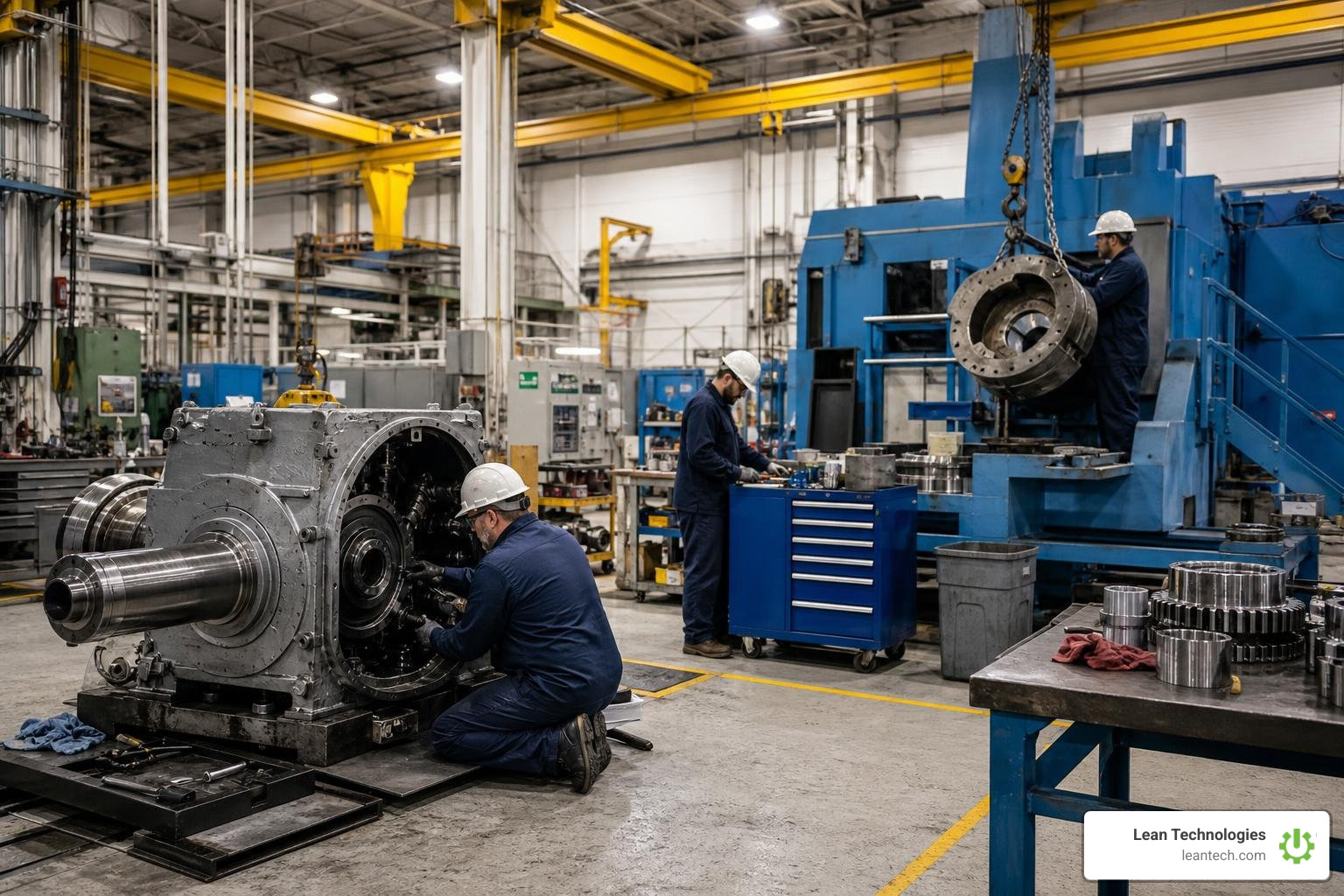
The SAP PM module — short for Plant Maintenance — is SAP's built-in solution for managing all maintenance activities across equipment, facilities, and assets in a manufacturing environment.
Here's what it does at a glance:
Tracks equipment and assets using structured master data (Functional Locations and Equipment records)
Schedules preventive maintenance through time-based or performance-based maintenance plans
Manages work orders from notification creation through execution, cost tracking, and closure
Integrates with other SAP modules including MM (materials), PP (production), CO (controlling), and HR
Supports reporting and analysis to track KPIs like MTTR, MTBF, and maintenance cost per asset
Modern plants run on tight margins. When a machine goes down unexpectedly, every minute counts — and every minute has a price tag. Yet many operations teams still rely on paper logs, spreadsheets, or disconnected systems to manage maintenance. By the time that data gets entered and reviewed, the damage is already done.
SAP PM was built to close that gap. It gives maintenance teams a single system to plan, execute, and analyze all maintenance work — reducing unplanned downtime, controlling costs, and keeping production on track. Organizations using SAP PM report up to a 50% reduction in unplanned downtime and a 20–30% drop in maintenance costs through better planning and procurement.
But SAP PM is only as powerful as the processes behind it. Without clean master data, disciplined work order flow, and real-time data entry, even the best-configured system falls short on the shop floor.
What is the SAP PM Module and How Does It Work?
The SAP PM module functions as an enterprise-grade CMMS (Computerized Maintenance Management System) and asset management engine. Instead of letting maintenance exist as an isolated "black box" on the shop floor, SAP PM brings it directly into your core business system.
At its core, the module supports three primary business activities defined by standard plant Maintenance practices:
Inspection: Assessing the current physical condition of an asset to identify signs of wear before they cause a failure.
Preventive Maintenance: Performing scheduled tasks to maintain the ideal technical condition of equipment and keep systems running.
Repair: Restoring assets to their optimal working state after a breakdown or performance drop.
By standardizing these activities in a single database, the module ensures that every repair cost, labor hour, and spare part used is tracked. To understand the detailed technical structure and data mapping behind this system, you can refer to the official PM Plant Maintenance documentation.
Core Organizational Structures and Technical Objects
To make the sap pm module work, you have to build a digital twin of your physical plant. SAP uses specific organizational units and technical objects to model how your business plans and executes maintenance work.
Here are the key structural components you must define:
Maintenance Plant: The physical location where the assets and equipment actually live and require maintenance.
Planning Plant: The organizational unit where maintenance tasks are planned, scheduled, and managed. One planning plant can plan maintenance for multiple physical maintenance plants.
Work Centers: The specific maintenance teams, shops, or individual machines that execute the work (e.g., the "Electrical Shop" or "Mechanical Crew").
Functional Locations: These represent the places where maintenance tasks are performed. They are structured hierarchically (e.g., Plant 1 -> Packaging Line A -> Filler Station).
Equipment Master: These represent the actual individual physical objects that reside in a functional location (e.g., "Pump Motor #415").
The golden rule of SAP PM master data is simple: Track the place with Functional Locations; track the physical asset with Equipment.
For example, a furnace bay in a glass plant remains a fixed Functional Location. However, the specific oxygen sensor inside that furnace might get swapped out, sent for repair, and replaced with a new one. By tracking the sensor as an individual piece of Equipment, you can move it to a different location while preserving its entire historical record of repairs and costs via Equipment Asset Tracking.
Structuring Master Data in the SAP PM Module
Once your basic hierarchy is established, you enrich it with detailed master data to automate daily workflows:
Equipment BOM (Bill of Materials): A structured list of spare parts associated with a specific piece of equipment. This ensures technicians always request the correct spare parts.
Measuring Points and Counters: Technical markers used to record physical readings, such as temperature, pressure, or running hours. When a counter hits a certain limit, it can automatically trigger a maintenance work order.
For highly regulated industries, these measuring points are also used to track calibration events, ensuring that instruments remain within strict operating tolerances. To dive deeper into reliability engineering, calibration, and master data structures, consult the 1774373851782 | PDF | Reliability Engineering | Calibration guide.
The End-to-End SAP PM Process Flow
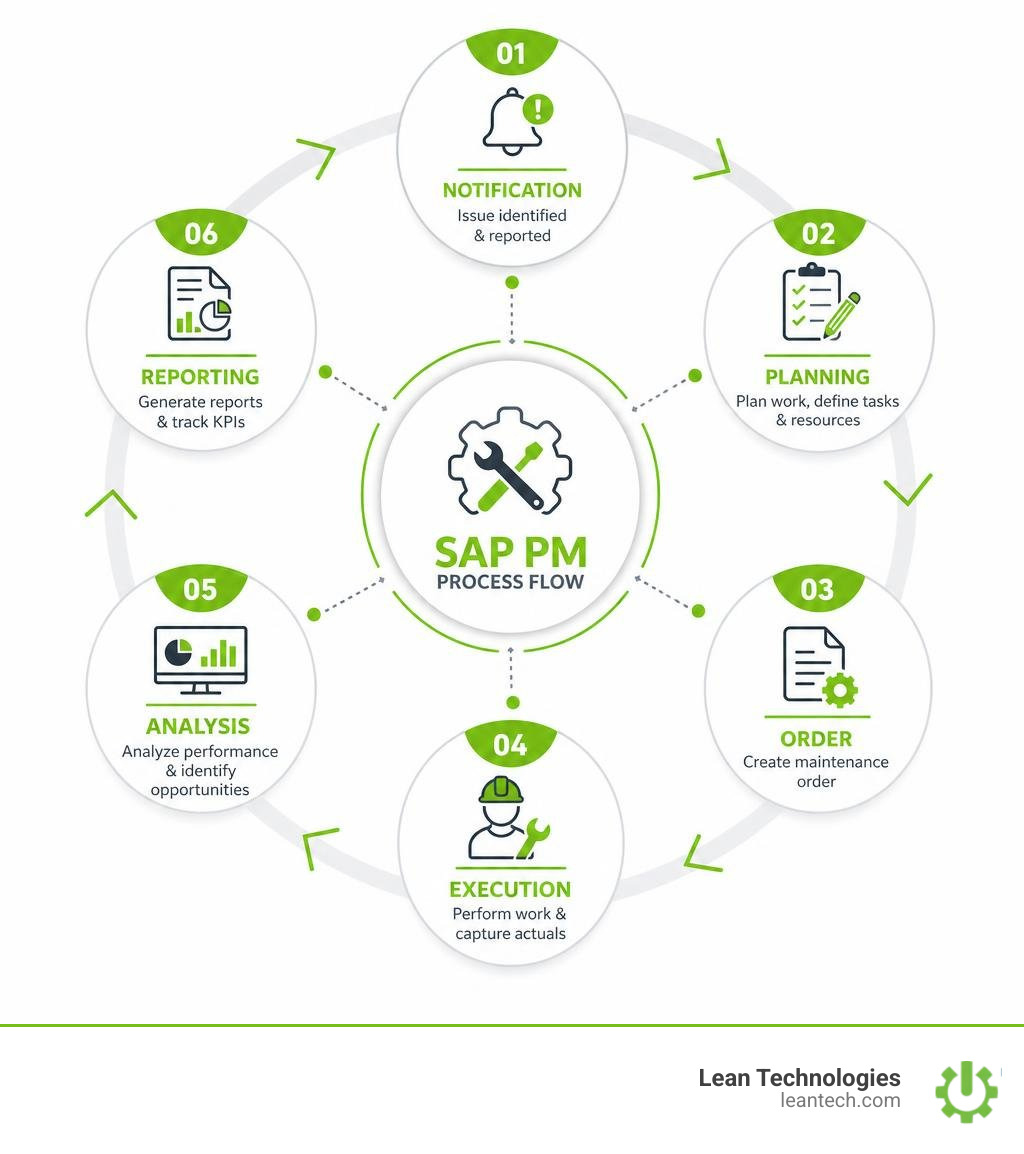
A successful maintenance operation relies on a disciplined, closed-loop process. In SAP PM, this workflow consists of six distinct phases:
Notification: An operator or technician identifies an issue and logs a maintenance notification to record the observation.
Planning: A maintenance planner reviews the notification, determines the required labor, tools, and materials, and converts it into a formal maintenance order.
Scheduling: The planner coordinates with production to schedule the work, reserving the necessary spare parts and scheduling the appropriate work center.
Execution: Technicians perform the physical repair work. They withdraw parts from the warehouse and record their labor hours.
Settlement: The actual costs incurred (labor, materials, external services) are compiled and settled to the target cost center or asset.
Analysis: The order is technically completed (TECO), and the data is archived for reliability reporting.
This structured flow ensures clean Workflow Tracking and builds an accurate Work Order History over the lifespan of your physical assets.
Key Transaction Codes (T-Codes) for Daily Operations
To navigate this end-to-end flow in the SAP GUI, planners and technicians use standard transaction codes (T-codes). Memorizing these core T-codes will dramatically speed up your daily operations:
IW21 / IW22 / IW23: Create, Change, and Display Maintenance Notifications (the starting point for capturing issues).
IW31 / IW32 / IW33: Create, Change, and Display Maintenance Orders (used to plan labor and materials).
IP41 / IP42: Create Single-Cycle or Strategy-Based Maintenance Plans (for automating preventive work).
IB01 / IB02 / IB03: Create, Change, and Display Equipment Bills of Materials (BOMs).
IW38 / IW39: List Processing for Maintenance Orders (essential for bulk changes and daily scheduling).
Preventive vs. Breakdown Maintenance Strategies
A world-class maintenance department balances multiple maintenance strategies. The goal is to move from reactive "firefighting" to proactive care.
Maintenance Type Core Objective How It Is Triggered Typical Use Case Preventive Maintenance Prevent failures before they occur. Time-based (e.g., every 30 days) or Counter-based (e.g., every 1,000 hours). Replacing conveyor belts, lubricating bearings, or routine filter swaps. Breakdown Maintenance Restore an asset to service as quickly as possible. Unplanned equipment failure or sudden stoppage. Fixing a broken drive shaft or resetting a blown motor. Corrective Maintenance Fix non-critical defects found during inspections. Planned backlog based on notifications. Repairing a minor oil leak detected during a weekly walk-through. Calibration Maintain instrument accuracy. Scheduled intervals or performance drift. Testing and adjusting temperature sensors on a chemical reactor.
Shifting your mix toward Planned Maintenance is the fastest way to stabilize your shop floor. Transitioning from reactive breakdown maintenance to structured preventive maintenance can reduce unexpected equipment failures by up to 70%.
Optimizing Maintenance Types in the SAP PM Module
To maximize the value of your preventive maintenance strategies, you must configure three core elements in SAP PM:
Task Lists: Standardized, step-by-step instructions for recurring tasks. This ensures that every technician performs a PM task the same way, regardless of their shift.
Maintenance Strategies: Rules that define preventive cycles (e.g., performing a minor service every 3 months and a major overhaul every 12 months).
Scheduling Parameters: Settings that control how far in advance work orders are generated (the scheduling horizon). This allows planners to purchase long-lead spare parts and align labor resources well before the machine is scheduled to be taken offline.
Cross-Module Integrations and Mobile Enablement
One of the greatest strengths of SAP is its integration capability. The sap pm module does not run in a vacuum; it connects directly with other core modules to automate business-wide workflows:
Materials Management (MM): Linking PM and MM allows for automated Parts Management. When a planner adds a spare part to a maintenance order, SAP automatically checks stock levels, creates reservations, or triggers a purchase requisition for non-stock items.
Production Planning (PP): Integrates maintenance schedules with production calendars. This ensures that production planners don't schedule a heavy manufacturing run on a line that is scheduled for a 24-hour maintenance shutdown.
Controlling (CO): Collects maintenance costs from labor, parts, and external contractors, settling them directly to the appropriate cost centers or capital project budgets.
Human Resources (HR): Links technician work centers to HR personnel records, ensuring that work is only assigned to technicians with the correct qualifications and available shift hours.
In modern S/4HANA environments (as of the recent 2026 releases), SAP has also streamlined advanced logistics integrations, such as connecting plant maintenance directly with Extended Warehouse Management (EWM) for automated staging of components. For a complete technical walkthrough of this integration, see the Integration of Plant Maintenance(PM) with Extended... - SAP Community blog post.
Empowering Field Technicians with Mobile Apps and RFgen
Historically, the biggest bottleneck in SAP PM has been data latency. A technician completes a repair, scribbles the details on a paper work order, and throws it on a desk. By the time that data is manually entered into SAP at the end of the shift or week, it is "real-late" data.
To solve this, modern plants use mobile applications and middleware like RFgen to put SAP PM directly into the hands of field technicians.
Mobile enablement provides massive shop-floor benefits:
Real-Time Data Capture: Technicians can scan barcodes on equipment to instantly pull up its maintenance history, create notifications, or issue spare parts on the spot.
Offline Capabilities: In areas of the plant with poor Wi-Fi or cellular coverage, mobile solutions buffer data locally and automatically synchronize with SAP once a connection is re-established.
Faster Turnaround: Organizations implementing mobile solutions for SAP PM see up to 40% faster work order completion times by eliminating paper routing and administrative delays.
To explore mobile architecture options and best practices for frontline execution, check out the SAP Plant Maintenance Guide by RFgen.
Real-World Challenges, Best Practices, and Continuous Improvement
Implementing and maintaining the sap pm module is not a pure IT project; it is an ongoing operational commitment.
Many organizations face common real-world hurdles during implementation:
Poor Master Data Quality: If your equipment lists are incomplete or your functional locations are poorly structured, planning will fail.
Low User Adoption: If the SAP interface is too complex, technicians will bypass the system and log incomplete notes, destroying your data integrity.
Inadequate Change Management: Failing to train shop floor teams on why accurate data entry matters leads to empty maintenance logs and inaccurate cost tracking.
To overcome these hurdles, successful plants focus on disciplined Change Management and continuous system audits. Managers must regularly review key metrics, track open work orders via Project Tracking, and ensure that every breakdown is linked to a notification for accurate MTTR/MTBF reporting.
Frequently Asked Questions about the SAP PM Module
What is the difference between Equipment and Functional Locations in SAP PM?
A Functional Location represents a fixed physical place in your plant hierarchy where a maintenance task is performed (e.g., "Line 1 Packaging Area"). Equipment represents an individual, physical, movable asset that has a unique serial number and historical record (e.g., "Gearbox #849"). You install Equipment into a Functional Location. This allows you to swap out physical assets for rebuilds while keeping the location's history intact.
How does SAP PM integrate with SAP MM for spare parts?
When a maintenance planner adds a spare part to a work order, SAP PM automatically communicates with SAP MM. If the part is in stock, the system creates a material reservation. If the stock level falls below the reorder point, or if the item is a non-stock part, SAP automatically generates a purchase requisition to procure the part, ensuring it arrives before the scheduled maintenance date.
Can SAP PM be used offline by field technicians?
Standard SAP GUI requires a live network connection. However, by using approved mobile partners or third-party middleware (such as RFgen or specialized mobile apps), technicians can download their assigned work orders, execute them offline in remote areas of the plant, and sync their updates back to SAP once they return to network coverage.
What to Do Next
Let's be honest: SAP PM is a powerhouse for tracking assets, managing complex maintenance budgets, and aligning materials. But for the operator standing on the line or the technician rushing to fix a down machine, standard SAP screens can feel incredibly slow, complex, and rigid.
If your team has to jump through hoops just to log a simple machine issue, they won't do it. They will use paper workarounds, or worse, they won't report minor defects at all. By the time that information finally makes it into your ERP, it's already too late to prevent a breakdown.
That is where Thrive by Lean Technologies comes in.
Thrive is an all-in-one, customizable shopfloor platform built by manufacturing experts to digitize lean work processes in real time. Thrive is NOT an ERP or an MES. Instead, it acts as a flexible, fast-acting digital toolbox that sits on top of your existing systems.
With Thrive, your frontline team can:
Log issues instantly on a tablet or mobile device right at the source.
Track continuous improvement actions without getting bogged down in complex ERP transaction codes.
Gain real-time visibility into shopfloor health, safety incidents, and quality issues before they escalate.
You don't need to replace your ERP to run a lean, highly responsive plant. Keep your financial and asset tracking strong in SAP, but give your frontline operators a tool they will actually love to use.
Stop managing your shop floor through spreadsheets and wishful thinking. Learn more about how the Thrive Maintenance Solution can streamline your frontline operations and bring real-time visibility to your plant today.





