
SAP PM Workflow Setup for Smarter Maintenance Execution
End-to-End Architecture of the SAP PM Workflow
Plant maintenance can account for up to 30% of total manufacturing operating costs. When maintenance requests move through unstructured channels like phone calls, sticky notes, or spreadsheets, critical work stalls. The core role of an SAP PM workflow is to eliminate these bottlenecks by enforcing structured data transitions across the asset management lifecycle.
Within the SAP PM module, work begins with business objects that represent physical plant events. The primary business object for incoming maintenance notifications is BUS2038. When an operator creates a notification, the system evaluates the object's status and automatically triggers defined workflow events.

This event-driven architecture forms the backbone of the end-to-end maintenance lifecycle:
Trigger and Ingestion: An equipment breakdown, manual operator request, or automated sensor alert creates a maintenance notification.
Notification Triage and Approval: The workflow evaluates business rules and routes the notification to the designated planner or supervisor.
Work Order Creation: Approved notifications convert into a formal work order, defining required operations, labor crafts, and spare parts.
Capacity Scheduling and Staging: Work centers are checked for labor availability, and material reservations are generated.
Execution and Safety Clearance: Technicians execute tasks in the field, following required safety permits and Lockout-Tagout (LOTO) protocols.
Technical Completion (TECO) and Financial Settlement: Operations close out, labor hours are confirmed, material costs post, and expenses settle to target cost centers.
Lifecycle Stages from Notification to Technical Completion
The transactional path follows a strict dependency order. Bypassing these steps leads to untracked labor, unallocated parts costs, and incomplete equipment histories.
The standard SAP PM process starts in transaction IW21 when a notification is generated. The supervisor receives the notification, verifies the failure codes, and assigns the required priority. Once triaged, the planner converts the notification into a formal maintenance work order via transaction IW31.
At this stage, operations and work centers are assigned. Setting up accurate master data according to SAP PM Work Center configuration standards ensures that category 0007 (Plant Maintenance) work centers calculate realistic task scheduling durations and pull the correct hourly labor rates from Controlling (CO) cost centers.
When the field team completes the job, the technician logs labor and findings via transaction IW41. Setting the order to Technical Completion (TECO) locks further operational changes and passes the work order to the finance team for monthly cost settlement via transaction KO88.
Structuring Technical Objects for Flawless Data Routing
An automated workflow is only as reliable as the underlying technical object hierarchy. If master data is incomplete or disorganized, notifications route to the wrong cost centers, planners receive irrelevant alerts, and reliability engineers cannot trace asset failure patterns.
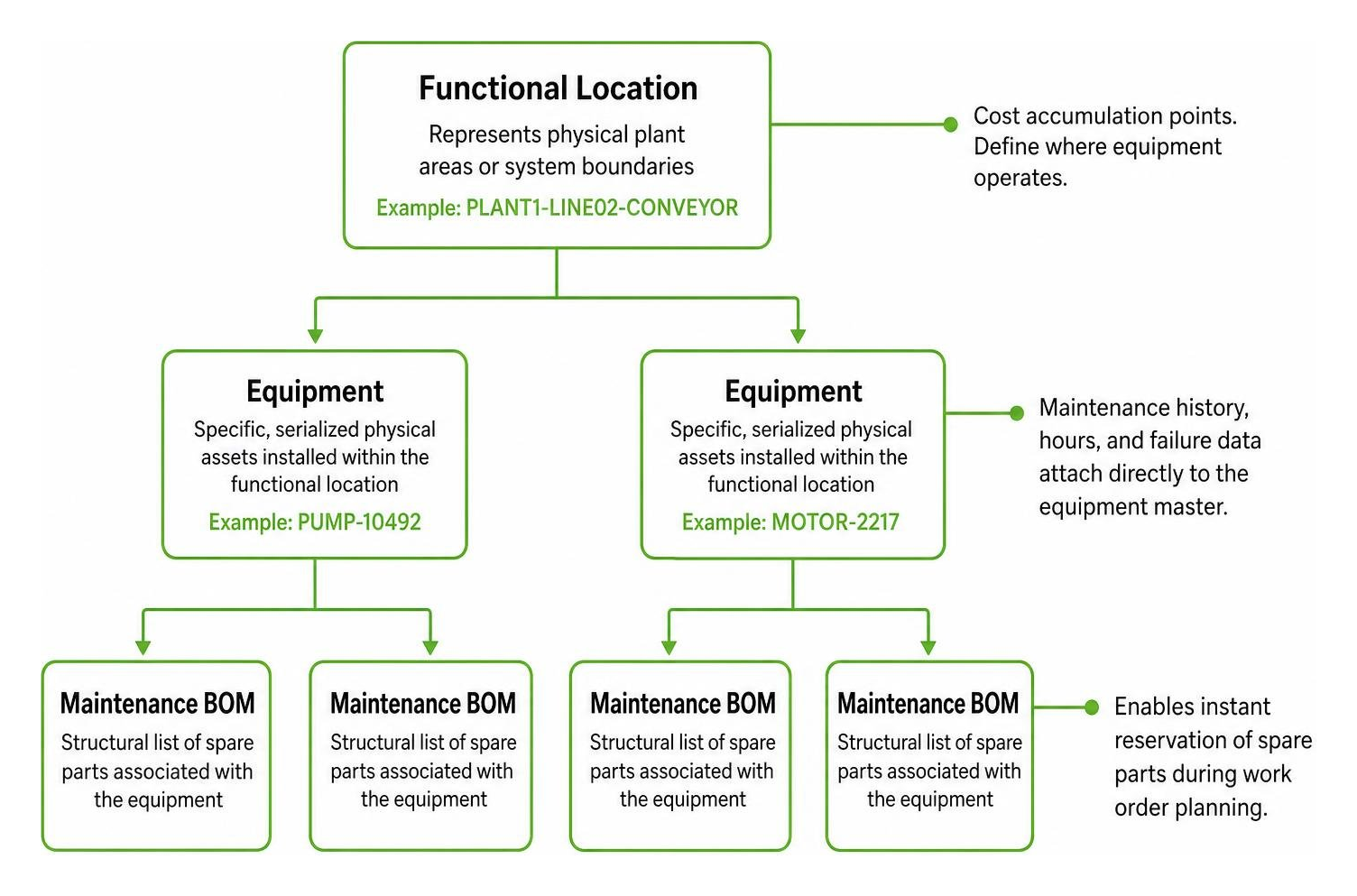
Best practices for technical object design require a clear, hierarchical parent-child structure:
Functional Locations: Represent physical plant areas or system boundaries (e.g.,
PLANT1-LINE02-CONVEYOR). They serve as cost accumulation points and define where equipment operates.Equipment Records: Represent specific, serialized physical assets installed within a functional location (e.g.,
PUMP-10492). Maintenance history, hours, and failure data attach directly to the equipment master.Maintenance Bill of Materials (BOM): Structural lists of spare parts associated with an equipment master or functional location, enabling instant reservation during work order planning.
Measuring Points and Counters: Specific data points on an asset (e.g., running hours, temperature, vibration) that trigger condition-based maintenance plans.
Maintaining clear data granularity ensures that when an operator logs a breakdown on a mobile tablet, the system automatically pulls the right planner group, cost center, and default work center without requiring manual searching.
Step-by-Step Setup and Configuration of Maintenance Workflows
Configuring standard workflows in SAP Plant Maintenance requires connecting business object events to workflow templates, configuring agent determination rules, and setting up user inboxes.
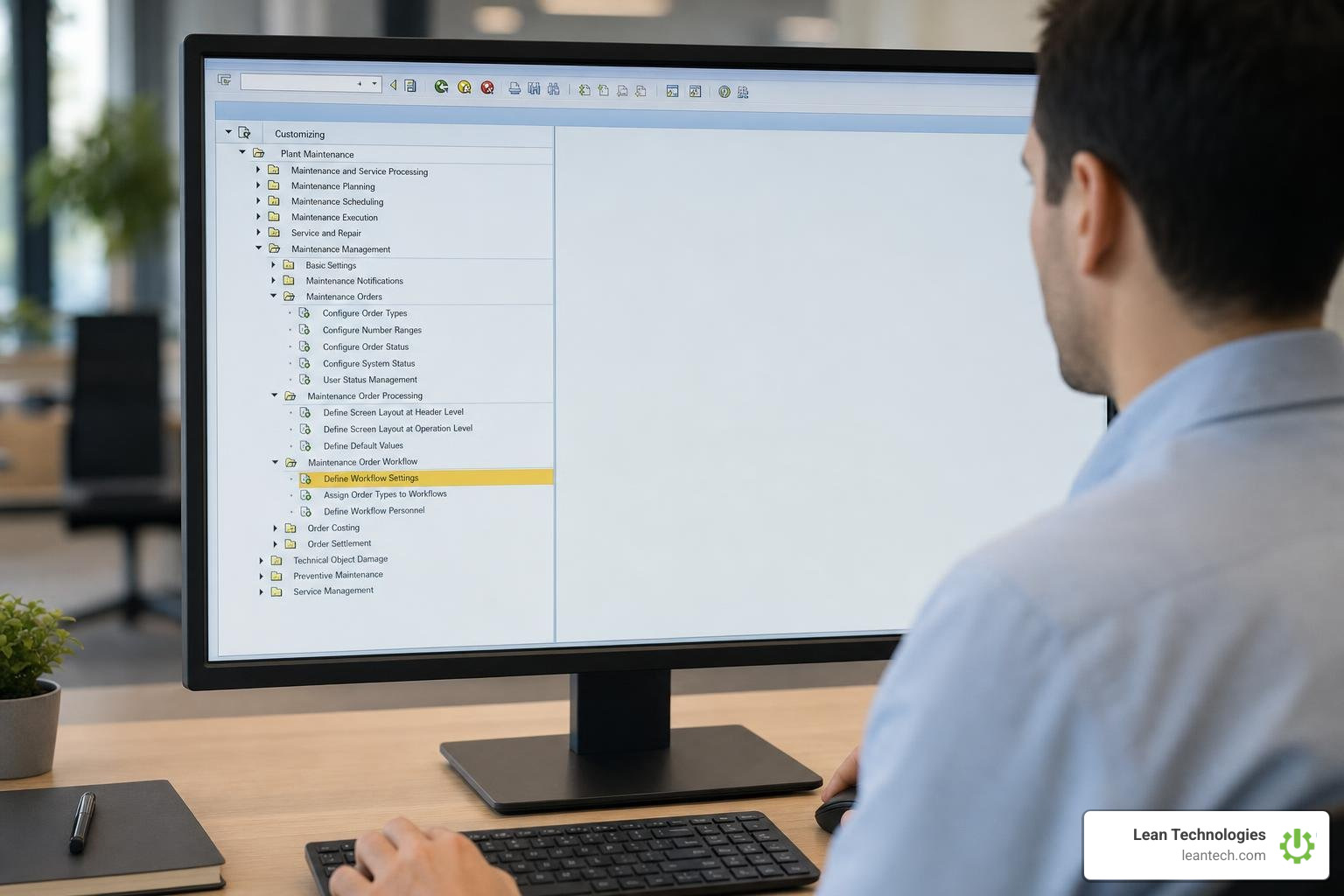
Step-by-Step SAP PM Workflow Configuration in SPRO
Setting up standard notification workflows involves configuring Customizing tables and activating event type linkages:
Activate Global Workflow Customizing: Open transaction
SWU3(Automatic Workflow Customizing) and ensure all runtime environment verification steps show green checkmarks.Access PM Customizing: Navigate via transaction
SPROto: Plant Maintenance and Customer Service to Maintenance and Service Processing to Maintenance and Service Notifications to Notification Processing to Workflow Configuration.Set Up Partner Determination: Define the partner roles (e.g., "User Responsible" or
VW) and configure the partner schema so that the responsible coordinator is mandatory during notification creation.Assign Standard Tasks as General Tasks: Open transaction
PFTCorSWDD_SCENARIO, select standard taskTS20000545, and classify it as a General Task. This allows the workflow runtime to distribute work items to any user resolved by the agent determination rules.Verify Database Consistency: Check key SAP PM tables such as
QMEL(Notification Header),QMIH(Maintenance Notification Item), andSWETPV(Event Type Linkages) to ensure triggers write to the database correctly.Activate Event Linkage: In transaction
SWETYPV, link object typeBUS2038to the target workflow template. Set the triggering event toCREATEDand check the Linkage Activated box.Test via Event Trace: Execute transaction
SWELto turn on the event trace. Create a test notification inIW21and verify inSWELthat eventCREATEDfor objectBUS2038fired successfully and triggered the corresponding workflow work item.
Configuring Business Object BUS2038 and Template WS20000317
Standard workflow template WS20000317 handles the lifecycle of maintenance notifications. It links business object BUS2038 to standard tasks, providing automatic escalation and assignment routing:
Standard Task
TS20000545(Process New Notification): Triggered immediately when a notification is created. It places a work item in the maintenance coordinator's inbox.Standard Task
TS20000544(Notification in Process): Activated when the coordinator accepts or begins working on the notification.Standard Task
TS20000546(Complete Notification): Triggers tasks required to close out the notification and update the system status toNOCO(Notification Completed).
To configure email notifications alongside system work items, implement follow-up action CLMMAIL in the task catalog. When an approval or rejection event fires, CLMMAIL invokes an underlying function module that formats and dispatches an alert email directly to the user's corporate email inbox. For detailed configuration steps on maintenance order approvals, review the official guide to manage workflows for maintenance orders.
Setting Up the My Inbox Fiori App and Role Approvals
Relying on the SAP GUI Business Workplace (SBWP) often results in delayed approvals because supervisors spend their time on the shop floor rather than at desktop workstations. The SAP Fiori My Inbox app provides a modern, responsive web and mobile interface for managing workflow items.
To configure My Inbox for maintenance notifications:
Assign Fiori Roles: Grant the role
SAP_BR_MAINTENANCE_PLANNERandSAP_BR_MAINTENANCE_SUPERVISORto maintenance personnel.Configure Task Gateway: In transaction
/IWFND/MAINT_SERVICE, activate the Task Processing OData Service (/IWPGW/TASKPROCESSING).Map Notification Decision Options: Configure the standard decision steps (e.g., Approve, Reject, Send Back for Rework) so supervisors can triage notifications with a single tap.
Enforce Partner Determination: When the workflow resolves the "User Responsible" field via role
PM_TASK_ROLE, the My Inbox engine filters work items so supervisors only see requests belonging to their specific plant section or equipment group.
Automating Core Maintenance Operations Across Modules
Automating routine maintenance workflows connects the shop floor with inventory, procurement, and operations, reducing manual handoffs.
Preventive Maintenance Scheduling and Work Order Creation
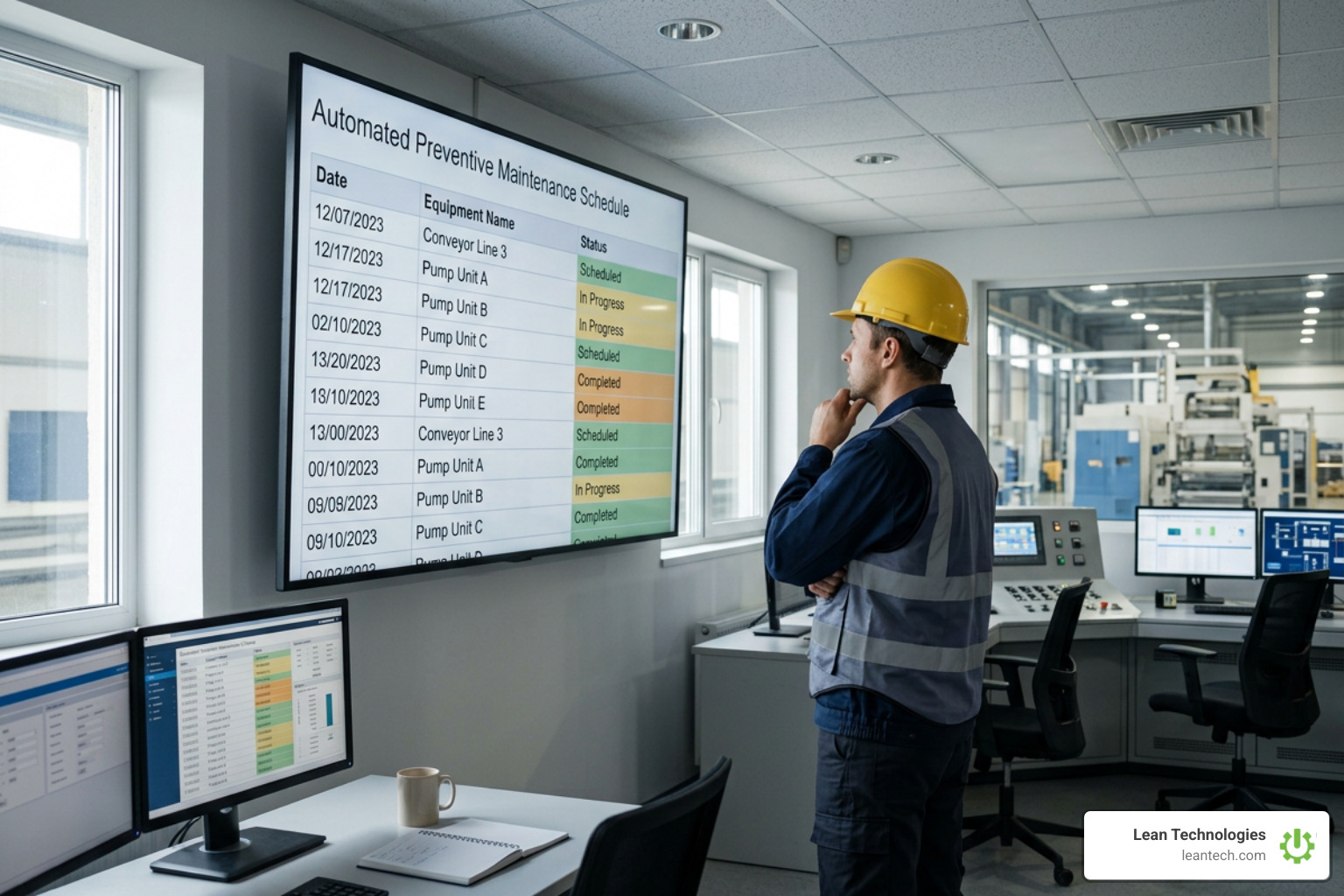
Relying entirely on reactive repairs causes erratic downtime and shortens asset lifespans. Automating preventive schedules balances the ratio between planned maintenance and unplanned maintenance.
Using transaction IP01, maintenance planners create maintenance strategies with distinct cycle packages (e.g., 250 operating hours, 3 months, or 10,000 cycles). These strategies attach to maintenance items in transaction IP04 and IP10, which link task lists to specific equipment records.
When background batch job RPIProcess (transaction IP30 - Deadline Monitoring) runs daily, the system evaluates all scheduled maintenance calls. When a call date falls within the planning horizon, SAP automatically generates a preventive maintenance work order without human intervention. Implementing automated preventive maintenance in manufacturing reduces unplanned downtime by 20% to 30% and extends capital asset lifespans by 15% to 20%.
Spare Parts Reservation and Extended Warehouse Management Integration
A common source of maintenance delay is discovering that required spare parts are out of stock after taking equipment offline. Automated workflows bridge the gap between maintenance orders and inventory management.
When a work order operation includes stock components from the maintenance BOM, SAP automatically creates an inventory reservation in Materials Management (MM). For plants using advanced warehousing, modern releases support direct staging via Extended Warehouse Management (EWM).
Integrating maintenance orders with EWM uses code initiator PMD and document type OPM to automatically create outbound warehouse deliveries when an order is released. Detailed staging steps can be referenced in the Extended Warehouse Management integration guide. For high-value rebuilds, components can be cycled through the SAP PM refurbishment process to return repaired parts to inventory. Automating spare parts workflows reduces maintenance stockouts by 30% and trims excess inventory holding costs by 20%.
Integrating Mobile Execution into the SAP PM Workflow
Eliminating paper work orders speeds up communication between technicians and supervisors:
Mobile Work Order Receipt: Technicians receive dispatch notices on mobile devices, complete with technical object documentation, safety permits, and task lists.
Safety and Work Clearance Management (WCM): Before working on energized equipment, the mobile workflow prompts technicians to execute digital Lockout-Tagout (LOTO) checklists and sign off on work clearance permits.
Real-Time Data Capture: Field technicians record actual wrench time, capture failure photos, enter damage catalog codes, and issue replacement components from storage locations using mobile interfaces.
Condition-Based Maintenance, Analytics, and Financial Settlement
Moving from scheduled calendar maintenance to condition-based maintenance (CBM) allows teams to service equipment based on actual wear rather than arbitrary time intervals.
Triggering Work Orders from IoT Sensors and Measuring Points
Automated condition-based maintenance connects equipment telemetry with the SAP PM workflow. Assets are configured with measuring points and counters (transaction IK01) representing operating parameters such as temperature, pressure, vibration velocity, or total run hours.
When an IoT gateway or edge device sends operational data to SAP, it generates a measurement document via transaction IK11 or standard BAPIs (BAPI_ALM_MEASR_CREATE). If a vibration reading exceeds a configured threshold (e.g., rising above 0.5 mm/s), SAP immediately triggers business object BUS2038, generating an urgent maintenance notification.
Condition-based maintenance workflows reduce asset breakdowns by 25% to 35% and cut overall maintenance spend by 15%.
Work Order Confirmation, Cost Settlement, and Audit Compliance
Closing a maintenance work order requires recording technical details and settling costs to maintain clean financial records:
Labor Confirmation (
IW41): Technicians log their actual hours against work order operations. This credits the maintenance work center and debits the maintenance order internal cost collector.Technical Completion (TECO): The supervisor verifies that maintenance work is complete, safety tags are removed, and the asset is restored. Setting TECO prevents further material reservations while allowing late vendor invoices to post.
Order Settlement (
KO88/CO88): During period-end financial closing, settlement rules transfer accumulated actual costs (internal labor, warehouse materials, external contractor fees) from the work order to the receiving cost center, asset master, or WBS element.Business Completion (CLSD): Once all debits, credits, and invoices balance to zero, the order is set to Business Closed, locking it against any future financial postings and creating an immutable audit trail.
Automating these compliance and closeout steps reduces audit preparation time by 40%, ensuring all safety sign-offs, labor hours, and component consumptions are fully documented.
Business Impact: Measurable Cost Savings and ROI
Automating plant maintenance workflows turns a traditional cost center into an operational driver. For large industrial operations with annual maintenance budgets between $10 million and $20 million, automated SAP PM workflows can generate annual savings between $9 million and $13.5 million.
The table below outlines the operational and financial impact of automating key maintenance workflows:
Maintenance Workflow Area | Manual / Paper-Based Process | Automated SAP PM Workflow | Quantifiable Business Impact |
|---|---|---|---|
Preventive Scheduling | Spreadsheets, calendar reminders, manual order creation | Automated deadline monitoring ( | 20–30% reduction in downtime; 15–20% extended asset life |
Notification Triage | Verbal handoffs, paper logs, slow coordinator dispatch | Instant event-driven routing via | 25–40% faster issue resolution; lower administrative overhead |
Work Order Assignment | Manual scheduling boards, unverified technician availability | Capacity-based routing and automated role resolution | 15–25% increase in workforce efficiency; less idle time |
Spare Parts Management | Manual checks at the tool crib, unlinked part orders | Automated MM reservations and EWM outbound delivery | 30% reduction in stockouts; 20% lower excess inventory costs |
Data Collection & Logs | End-of-shift paper logs, manual data entry in GUI | Real-time mobile confirmation ( | 90% higher data accuracy; frees up 20–30% of staff time |
Condition Monitoring | Periodic manual route inspections, late fault discovery | Automated sensor threshold alerts generating | 25–35% reduction in failures; 15% lower maintenance costs |
Compliance & Audits | Paper binders, physical sign-offs, missing LOTO logs | Integrated WCM permits, digital logs, automated closeouts | 40% reduction in audit prep time; lower regulatory risk |
Failure Analysis | Incomplete work logs, missing root-cause records | Mandatory catalog coding (causes, damages) before closeout | 20–30% reduction in repeat failures; higher reliability |
Frequently Asked Questions About SAP PM Workflow
What is standard workflow template WS20000317 used for in SAP PM?
Workflow template WS20000317 is the standard SAP Business Workflow template for managing maintenance notifications. It links to business object BUS2038 and triggers when a notification is created or updated.
The template evaluates agent determination rules, assigns standard tasks like TS20000545 to the responsible maintenance planner's inbox, and coordinates status updates as the notification moves from triage to order conversion or technical closure.
How does SAP PM route work orders to technician mobile devices?
SAP PM routes work orders to mobile devices using role-based dispatching and standard integration services. When an order operation is assigned to a specific maintenance work center or person responsible, OData gateway services push the record to mobile applications such as SAP Service and Asset Manager or SAP Fiori.
Technicians receive alerts in their My Inbox app, download task specifications and safety permits, and record hours and parts usage directly from the field.
Who is responsible for configuring workflows in an SAP PM implementation?
Configuring SAP PM workflows requires collaboration between three core technical roles:
SAP PM Functional Consultant: Defines business rules, notification types, partner determination schemas, work center categories, and maintenance catalog profiles.
SAP ABAP/Workflow Developer: Builds custom workflow templates in transaction
SWDD, configures custom business object events inSWO1, codes follow-up function modules, and develops custom role resolution rules.SAP Basis Administrator: Configures the underlying workflow runtime environment in transaction
SWU3, sets up background RFC destinations, and maintains system job scheduling for deadline monitoring.
What to Do Next
A well-configured sap pm workflow removes friction between issue detection, work execution, and financial settlement, helping your teams complete repairs faster while maintaining clean asset records.
To optimize your maintenance execution:
Audit Master Data: Standardize functional location and equipment hierarchies to ensure routing rules function properly.
Standardize Work Centers: Verify scheduling formulas, capacity limits, and cost center assignments across all active work centers.
Deploy Mobile Work Execution: Replace paper-based logging with digital entry at the machine to keep maintenance histories accurate.
Connect Lean Problem Solving: Bridge the gap between maintenance workflows and daily shopfloor operations by using streamlining shop floor maintenance workflows to track continuous improvement actions.
Thrive offers the fastest path to structured, accountable work processes. Built for small to midsize manufacturers, Thrive provides a digital platform to digitize lean work processes in real time without replacing ERPs or MES systems. It serves as a flexible digital toolbox for logging issues, tracking actions, and driving continuous improvement. Real-time visibility is achieved only when processes are structured and data is entered at the source via mobile, tablet, or desktop. Thrive does not collect sensor data or run predictive alerts; instead, it organizes action from machine data entered by teams or imported from other systems. Structured workflows turn maintenance data into actionable operational improvements.





