
The Ultimate Guide to Industrial Maintenance Software
Why Industrial Maintenance Software Is the Backbone of a High-Performance Plant
Industrial maintenance software (often called a CMMS) is the digital engine that keeps a plant from getting dragged down by chaos. It organizes equipment, work orders, labor, and spare parts in one place so the team can stop guessing and start fixing.
Most plants do not have a “maintenance problem.” They have a visibility problem.
The issue gets reported late (end of shift).
The work order gets written differently by every supervisor.
The parts get pulled with no inventory update.
The downtime reason is “unknown,” so nothing improves.
That is how good teams end up stuck in reactive mode.
The high-level view:
What It Manages Why It Matters Work orders Faster assignment and zero lost paperwork Preventive maintenance Stop breakdowns before they stop production Spare parts inventory No more emergency shipping costs Asset history Data-backed repair vs. replace decisions Compliance Audit-ready records without the filing cabinet
Unplanned downtime is a silent killer. According to IndustryWeek, it costs manufacturers billions every year. It is not just the idle machine; it is the missed deadlines, the overtime pay, and the hit to your reputation.
Most of that downtime is preventable. High-performance teams do not “care more.” They run a tighter process.
Here is what changes when industrial maintenance software is actually used on the floor (not updated later from a clipboard):
Operators log issues the moment they see them.
Supervisors prioritize work with a clear queue.
Techs show up with the right parts, manuals, and safety steps.
Every job builds usable history, so repeat failures get solved instead of tolerated.
That is the real shift: reactive firefighting to structured reliability.
Defining Industrial Maintenance Software: Beyond the Digital Logbook
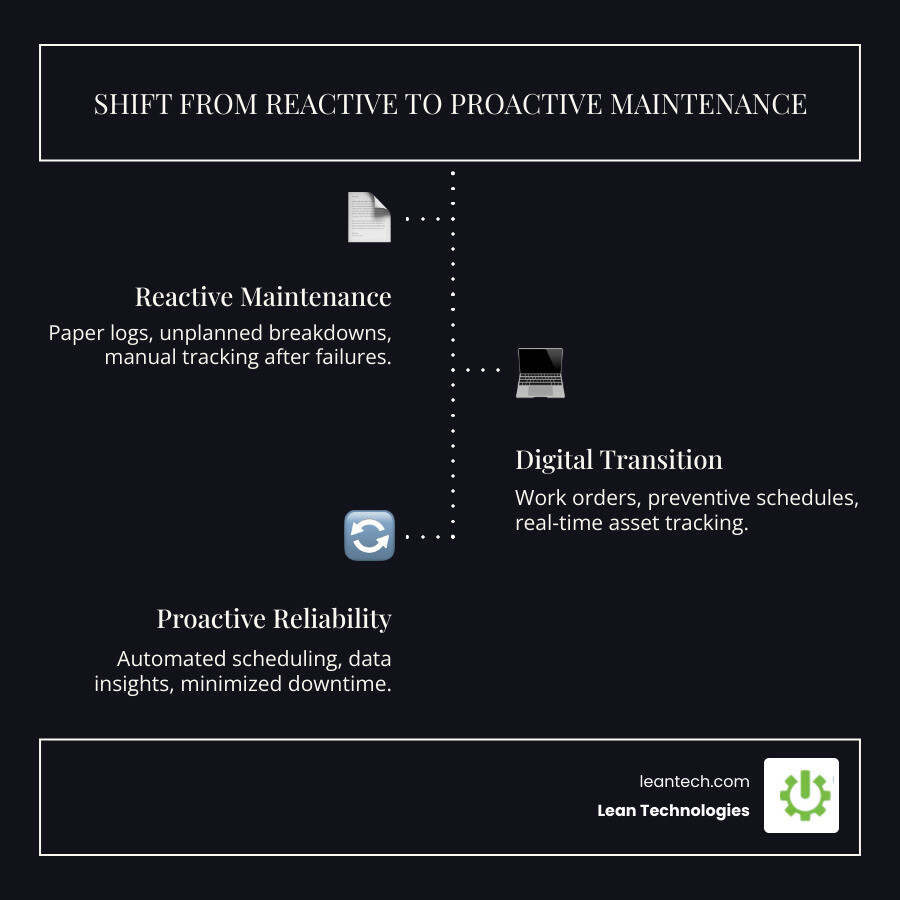
If your maintenance log is a grease-stained binder in a cabinet, you’re already behind. Modern industrial maintenance software moves your entire process into a centralized digital environment.
A CMMS acts as the brain for your assets. It manages the entire Maintenance lifecycle from installation to decommissioning. By digitizing these workflows, you move from "real-late" data — finding out about a failure at the end of the shift — to real-time visibility.
Maximizing Uptime
High-performing teams see a 30% to 33% decrease in unplanned downtime by switching to a digital system.
Planned Maintenance: Triggers work orders based on time or usage cycles.
Root Cause Analysis: Use Work Order History to spot "lemon" machines.
Speed: Digital tools help you assign work orders up to 78% faster than manual processes.
Standardizing Shop Floor Procedures
Don't let "tribal knowledge" put your plant at risk. If only one veteran tech knows the trick to fixing a CNC lathe, you have a single point of failure. Industrial maintenance software standardizes procedures with digital checklists and SOPs. This ensures every tech follows the same high standard, making Audits and Safety Audits a breeze.
Core Features of High-Performance Industrial Maintenance Software
Forget the bells and whistles. On the shop floor, usability is what drives ROI. If the software is clunky, your team won't use it.
Essential Frontline Features:
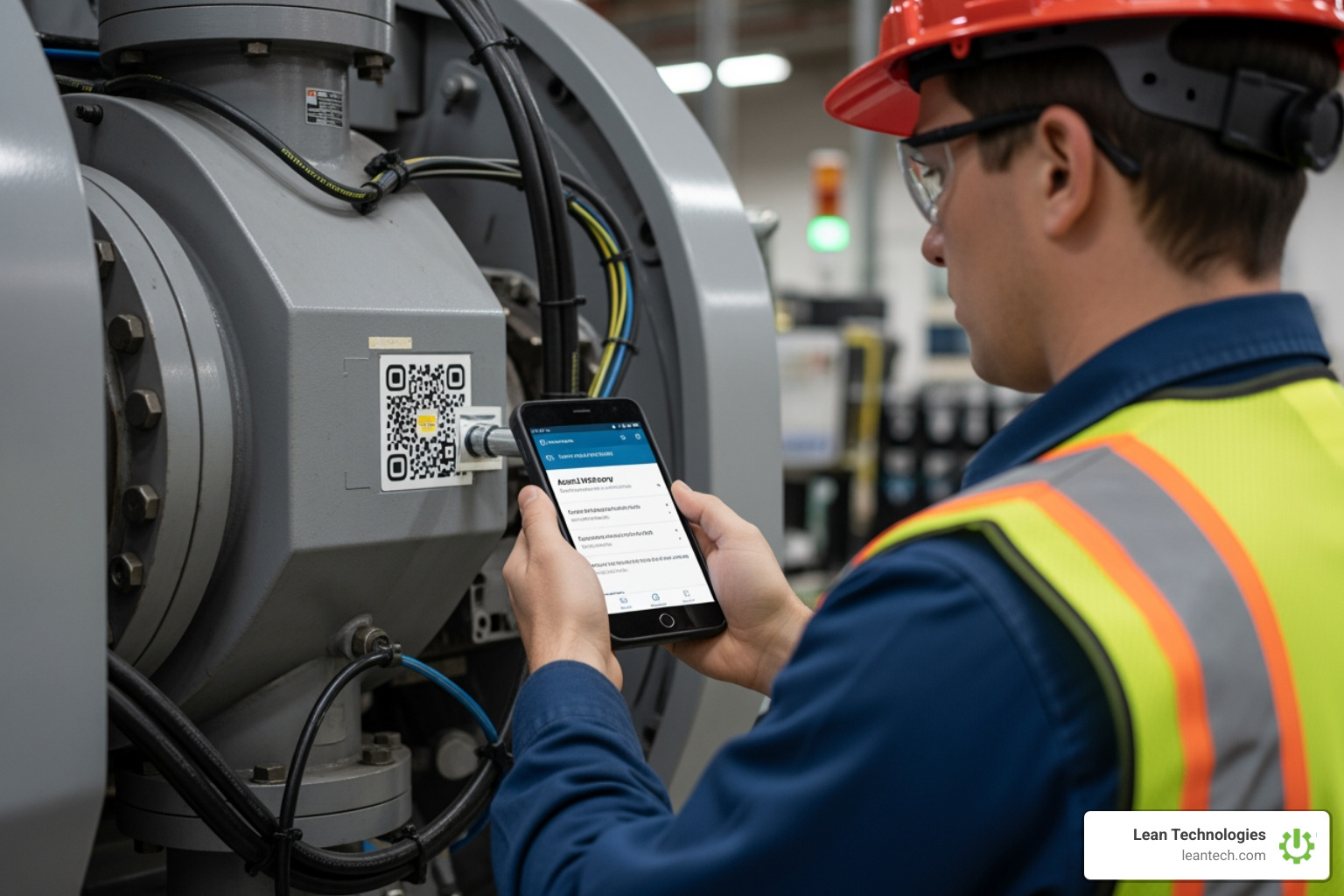
Equipment Asset Tracking: Scan a QR code to see repair history and manuals instantly.
Work Request Queue: A simple way for operators to report issues without shouting across the floor.
Parts Management: Real-time visibility into the tool crib.
Deployment: Cloud vs. On-Premise
Feature Cloud-Based (SaaS) On-Premise Setup Time Days or weeks Months Updates Automatic Manual and costly Accessibility Mobile-ready anywhere Local network only Upfront Cost Low subscription High server costs
Inventory and Spare Parts Control
Poor Parts Management kills productivity. Industrial maintenance software provides Purchasing Suggestions based on stock levels. When a part is used, the count drops. If it hits a limit, the system generates Requisitions. Some sites save over $50,000 just by cutting emergency shipping.
Compliance and Safety
Integrate Safety Data Sheets SDS and digital LOTO checklists directly into work orders. If an incident happens, your digital trail for Accident Investigations proves you followed manufacturer specs, protecting you from Safety fines.
How Data and AI are Transforming Maintenance Workflows
Software is moving from tracking what happened to helping teams decide what to do next. Better analytics are now a standard part of high-end industrial maintenance software.
One important reality check:
Some platforms use sensors and machine learning to predict failures.
Many plants are not ready for that (or do not want the cost/complexity).
You can still get a huge win by simply capturing consistent, structured data at the source.
If the team logs problems in real time, the system can surface patterns fast. If everything lives in paper folders and spreadsheets, the plant is always looking in the rear-view mirror.
For background on what “AI” means at a practical level, see Artificial intelligence.
The Role of AI
AI changes the frontline experience by organizing data for action:
Predictive insights (data-driven, not magic): Identify assets with rising downtime, repeat failure codes, or frequent part usage so the team can intervene earlier.
Natural language reporting: Ask the system, "Which machines had the most downtime last month?" and get an instant chart.
Labor utilization: Estimate job times using Work Order History so scheduling gets more accurate.
Quality control tie-ins: Flag Nonconformance when repairs correlate with scrap spikes, repeat adjustments, or rushed close-outs.
The goal is not to replace technicians. It is to stop wasting technician time.
Integrating the Enterprise
Maintenance cannot be an island. The maintenance process needs to connect to the rest of operations so problems get closed-looped instead of re-lived.
Common integration paths include:
ERP integration: Connect labor and parts costs to the general ledger so the business sees the true cost of uptime.
API connectivity: Share approved equipment lists, part masters, and cost centers so nobody is maintaining duplicate data.
Materials Compliance: Ensure parts and materials meet regulatory standards.
Defect Scrap Tracking: If scrap rates spike, trigger an inspection via the Work Request Queue.
Where Thrive fits: it is not an ERP or MES replacement. It is a practical way to standardize how the team captures issues, executes work, and creates usable history so the data becomes trustworthy enough to drive action.
Selecting and Deploying Your Maintenance Solution
Choosing software is mostly about user adoption. If techs hate it, they will work around it. If operators cannot submit a request in 20 seconds, they will skip it. And if the data gets entered at the end of the shift, it is already “real-late.”
The best tool is the one that actually gets used at the machine.
What to Look For (Before Any Demo)
Use this as a quick filter before getting pulled into feature theater:
Fast work creation: Can an operator submit a work request in under a minute?
Clear prioritization: Can a supervisor see the real queue and assign work without spreadsheets?
Repeatable PMs: Can PMs be scheduled and completed with checklists, photos, and sign-offs?
Parts visibility: Can the team see stock levels and usage without walking to the crib?
Audit-ready records: Are labor, LOTO steps, and SDS documents attached to the work order?
Integration reality: Can it connect to ERP or other systems without turning into an IT science project?
Implementation Strategies
For mid-sized manufacturers, focus on rapid deployment and get value fast.
Start with a PM Gap Report: Identify which assets are missing planned maintenance targets.
Use a Kanban Board Tool: Give supervisors a visual way to manage "To Do," "In Progress," and "Waiting on Parts" jobs.
Define the minimum data standard: If every tech writes different failure notes, the history will be unusable. Standardize fault codes, downtime reasons, and close-out requirements.
Stakeholder buy-in: Involve techs early. Show how it eliminates paper forms, reduces walking time, and prevents repeat failures.
Mobile-First is Non-Negotiable
Work happens at the machine, not at a desk.
Offline mode: The platform must work in Wi-Fi dead zones and sync later.
Ease of entry: Voice-to-text and photo uploads drive accurate Work Order History.
Point-of-use access: Manuals, SOPs, and parts lists should be reachable where the work happens.
Rollout That Sticks (So the Data Stays Clean)
A simple rollout beats a perfect rollout.
Start with 10 to 25 critical assets.
Launch the work request process for operators.
Run PMs digitally with checklists.
Review work order close-outs weekly (missing causes, missing parts usage, vague notes).
Expand to the next asset group.
The goal is not “install software.” The goal is build a maintenance operating system the floor can actually follow.
Frequently Asked Questions about Industrial Maintenance Software
What is the difference between CMMS and EAM?
While the terms are often used interchangeably, a CMMS (Computerized Maintenance Management System) focuses primarily on maintenance operations and uptime. An EAM (Enterprise Asset Management) takes a broader view, including the entire lifecycle of the asset, from procurement and accounting to disposal. For most manufacturing plants, a robust CMMS provides all the necessary tools for daily operations.
How does maintenance software reduce labor costs?
It reduces "admin time" and increases "wrench time." By automating the creation of work orders and providing technicians with all the information they need (manuals, parts, history) at the machine, they spend less time walking back to the office or searching for information. Research shows this can cut labor costs by up to 44%.
Can industrial maintenance software work without an internet connection?
Yes, high-quality modern platforms include an "Offline Mode." This allows technicians to view their tasks, follow checklists, and log their time even in basements or remote areas of the plant. The data syncs to the cloud automatically once a connection is re-established.
What to do next
Stop managing your shop floor through spreadsheets and wishful thinking. If downtime, PMs, and parts are tracked in different places, the plant is guaranteed to stay reactive.
Industrial maintenance software works when it creates one source of truth for:
What is broken (and who owns it)
What is planned (PMs, inspections, calibrations)
What parts are being consumed (and what is about to stock out)
What happened last time (so the next fix is faster and cleaner)
Lean Technologies offers Thrive, an all-in-one, customizable shopfloor software designed by manufacturing experts. Thrive is not an ERP or MES replacement. It is a flexible system to help operators, supervisors, and maintenance teams capture work in real time, standardize execution, and keep the team aligned.
Ready to see the difference?
Take the PM Gap Report Quiz to see where maintenance is slipping.
Explore Gage Calibration tools to keep measurement systems under control.
Stop managing your shop floor through spreadsheets and wishful thinking. Let the team run lean with real-time visibility and the right industrial maintenance software.
Internal linking opportunities to consider adding alongside this page:





